Tree tables
Tree tables organize data by levels. They help you analyze performance metrics across multiple levels and dimensions in a single report.
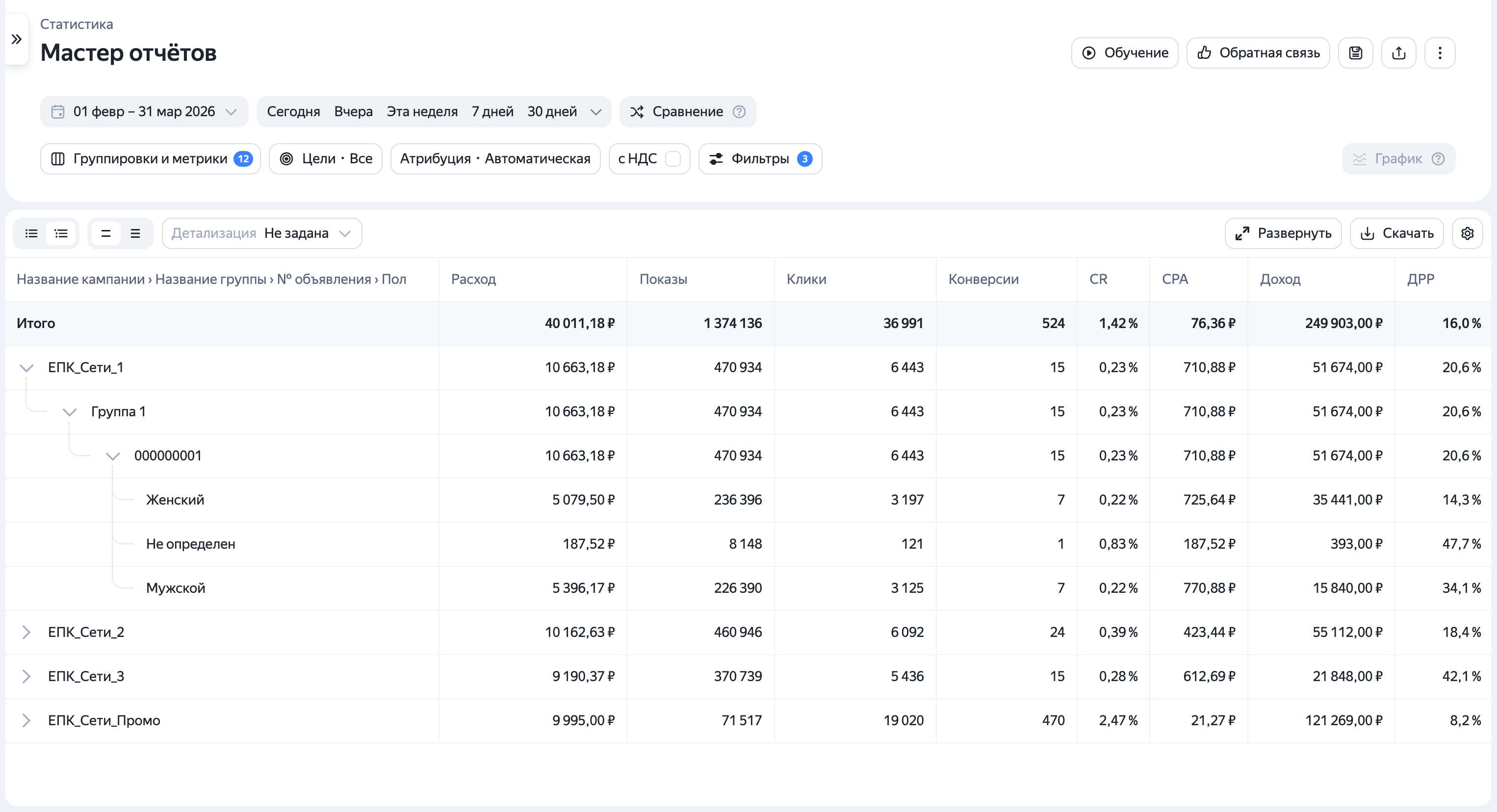
How to configure them:
- Add the dimensions you need to the report.
- Change the table view to tree view by clicking in the upper-left corner.
- Go to the report settings and choose the order of dimensions under Dimensions and metrics. This order dictates how the data levels will nest inside the table.
You can switch between the table view and tree view at any time. This feature is available in both Library and Report Wizard reports.
Have questions?
Alert
Our customer support can only assist you with campaigns linked to the username you are contacting us from. You can check your username by opening ya.ru in another browser tab. Our team can access your data only when processing your request.
Scan the QR code or tap it to follow the link.


If you select Telegram or WhatsApp, keep in mind that Yandex does not control and is not liable for how third-party messengers store your data and chat history.
Useful links
Legal documents
Training
Learn more
Was the article helpful?
Previous
Next