Product gallery
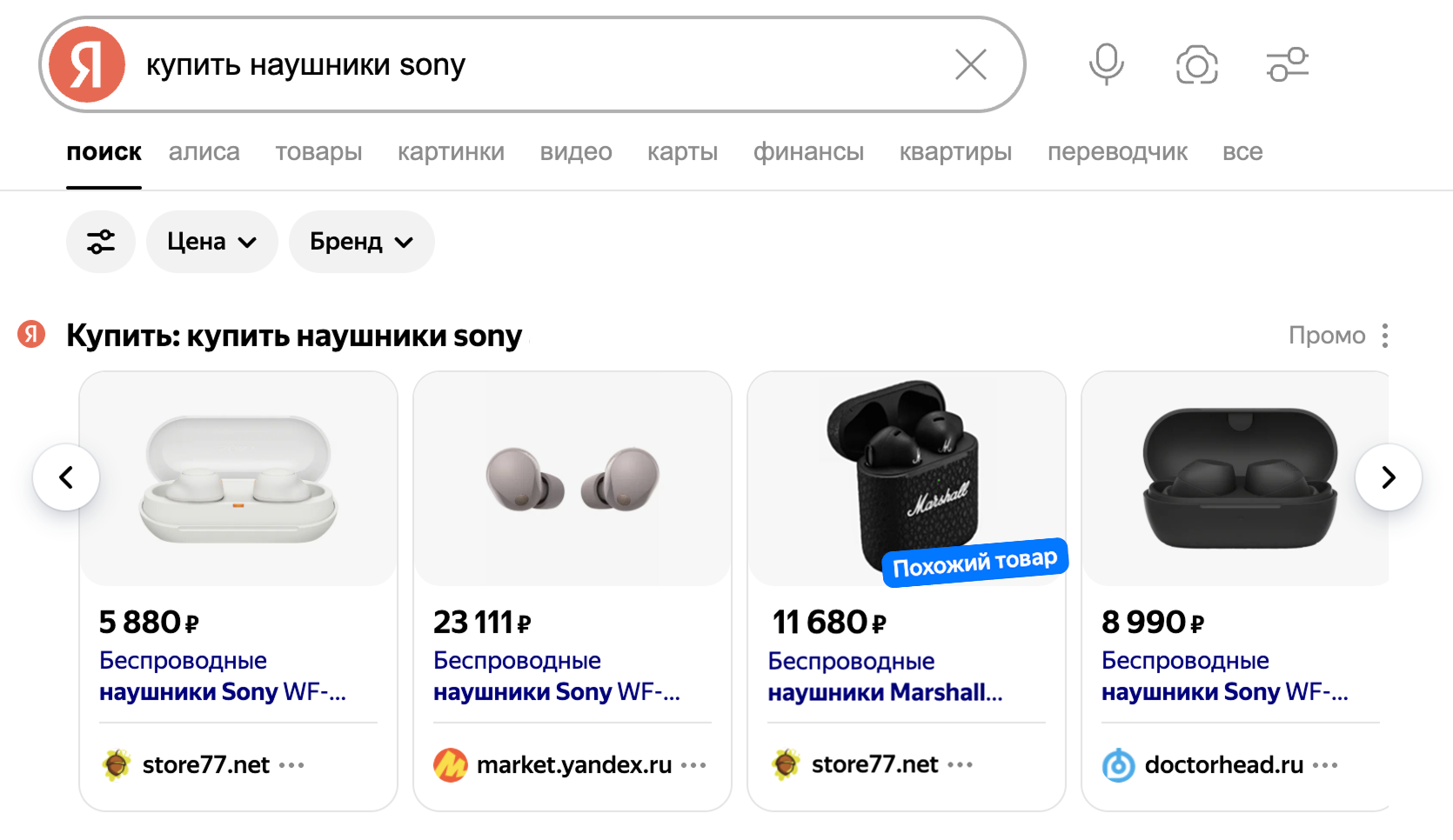
The product gallery is a carousel that features product cards from various stores or cars from different sellers. It can appear in search results and Alice AI chats.
Yandex Direct automatically chooses the optimal placement for the gallery to increase the chance of conversion. Search results can show up to two product galleries with different ads. Note that displaying two product galleries isn't available in the mobile version.
Advantages
-
It displays offers, prices, promotions, and discounts in a visually appealing, highly visible format.
-
It helps the user make a purchasing decision.
-
It increases the conversion rate for products and vehicles.
-
It's good for businesses of any scale, including small stores.
Highlights
Here are the ads that can be served in the product gallery:
-
Combinatorial or Text & Image ads in a product-focused unified performance campaign, with an image, price, and product link.
-
Combinatorial or Text & Image ads in a catalog-focused unified performance campaign, with an image and catalog link.
Alert
Since June 30, Text & Image ads in unified performance campaigns are available for editing only. For campaigns that previously relied on Text & Image ads, create combinatorial ads.
On July 14, existing Text & Image ads started upgrading to combinational ads.
-
Product ads and catalog pages from unified performance campaigns.
-
Ads for products and catalog pages from a product campaign.
Catalog pages in the product gallery are only available for products. You cannot add to it selections of cars or offers from other categories, including services.
The product gallery in search results shows ads based on keywords or autotargeting.
The product gallery can feature more than five cards from the same business, meaning that it is possible for search results to contain cards from only one store. In this case, the same product cannot appear multiple times: the user sees different products matching their query, such as various models of straight sofas. On mobile, the product gallery might feature just one product.
The product gallery may also display products that are relevant to the user's main query. These products will have the "Similar product" label. For your products to appear in this format, select the Alternative queries and Queries that mention competitor brands categories under Autotargeting in the campaign settings.
Product specifications
The product gallery can also display product specs on your ads to help people make buying decisions. Ads with product specs generate 4% more conversions on average.
Product specs can include various details, such as TV screen size, clothing color, payment terms, and more. The system picks the key details for your ads that are most likely to drive clicks and conversions on your site.
Product specs in ads come from three sources:
- Product feeds. Add specs using the
property nameparameter. You can include up to 10 specs per feed. Learn more about feeds. - Promoted website. The system analyzes your website to find key product specs and business details that drive buying decisions.
- Similar products from other stores. To expand your product specs and boost your chances of getting a conversion, Yandex Direct analyzes the item you're promoting, finds it in other stores, and pulls in its key specs.
Whenever details from your website or other sources overlap with what's in your product feed, your feed's information takes priority. That way, you can manage which key specs show up in your ads.
How the system picks ads to show
Ads are selected for impressions based on the VCG auction results. It evaluates the combination of the bid, quality coefficient, and CTR forecast for the specific impression. Ads with the best combination of these indicators appear in the gallery.
Product gallery placements
For all products except vehicles:
-
Search results.
-
Search results in images.
-
Search results in product search.
-
Search results in Lessy.
Ads for vehicles will only be served in search results.
How to launch impressions
Have questions?
Alert
Our customer support can only assist you with campaigns linked to the username you are contacting us from. You can check your username by opening ya.ru in another browser tab. Our team can access your data only when processing your request.
Scan the QR code or tap it to follow the link.


If you select Telegram or WhatsApp, keep in mind that Yandex does not control and is not liable for how third-party messengers store your data and chat history.