Shared account
A shared account is a method of automatically distributing funds among all campaigns that are under the same username. Your ads continue being served until your shared financial account runs out of funds. If you want that your campaigns continue running even when your balance is negative, enable the overdraft feature.
To open the shared account settings:
- Under your username, click the amount.
- In the window that opens, click All settings.
Payment
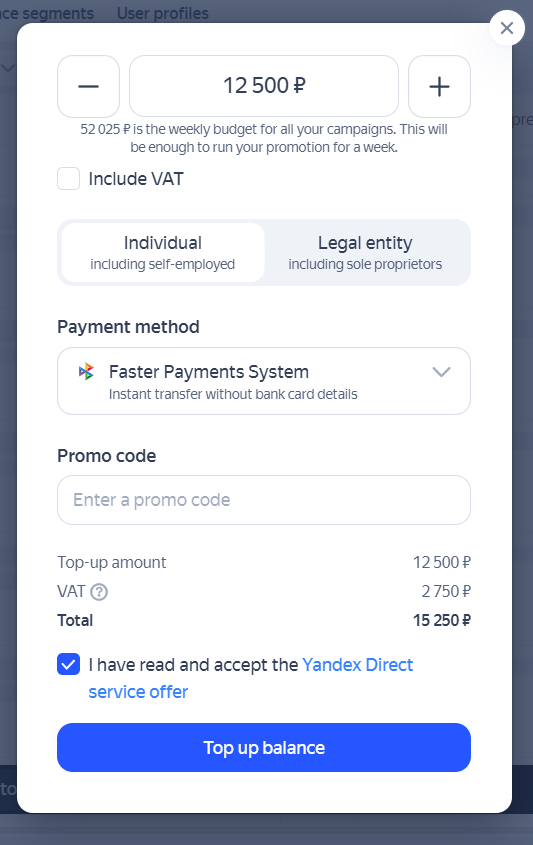
To add funds to your shared account, under the username, click Top up.
The payment methods available to you depend on your country and currency.
Weekly account budget
Here's how you can set a weekly budget limit for a shared account:
-
Under your username, click the amount.
-
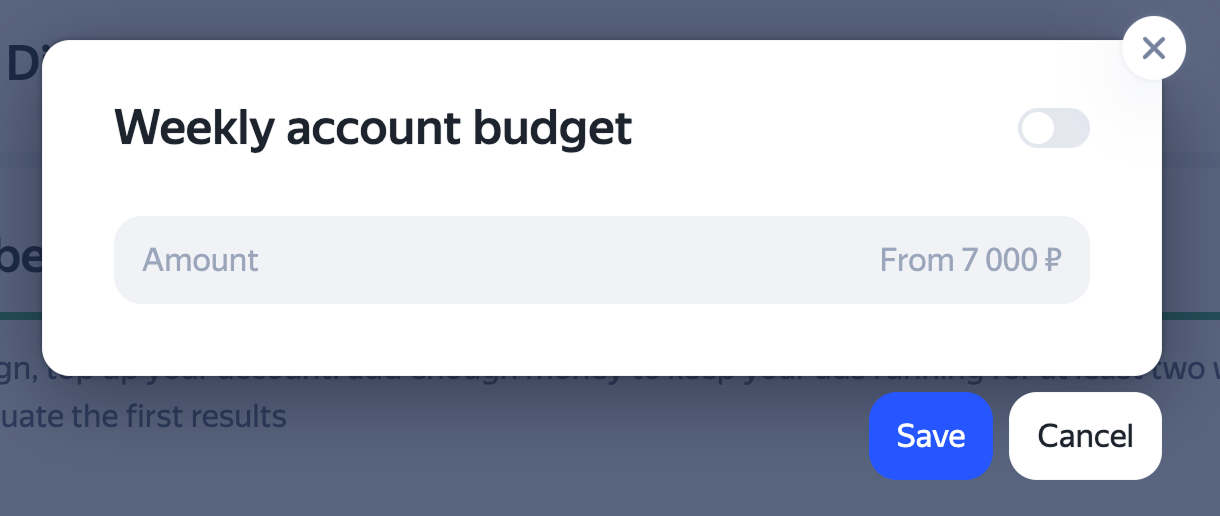
In the window that opens, click Weekly account budget.
-
Enable the option.
-
Set your advertising budget per calendar week.
The minimum budget is ₽7000 per week (see values for other currencies).
How it works
Budget distribution
Yandex Direct automatically distributes your budget across the week, shifting unspent funds from slower days to busier days. By reallocating these funds across different days, the system aims to keep your total weekly spending within your set limit.
The maximum daily spending is limited to 35% of the weekly budget.
When your chosen budget isn't enough to cover the entire week, your ads will enter fewer auctions. If your budget covers running ads all week, you'll get all available traffic.
Spending with a limited budget
If you have a small weekly budget and use high-volume keywords or high bids, we can't guarantee the even delivery of impressions throughout the week. Your budget may run out early in the week, with no funds left for the remaining days.
How to avoid incorrect spending
The weekly account budget is calculated using UTC+3 (Moscow time), regardless of the time zone selected for the campaign. Note that if a different time zone is set for the campaign and impressions are disabled on certain days, you may end up exceeding your budget.
For example, let's say went into your time targeting settings and disabled impressions on Sunday and set the “MSK +04:00” time zone for Novosibirsk. At 20:01 (Moscow time) on Sunday, the system will start serving ads though it is already Monday in Novosibirsk. Because of this, your budget will cover those 4 hours of Sunday in UTC+3 (Moscow time). Yandex Direct will keep running your ads, and your budget for Monday will be spent as well.
Changing your weekly budget
When you change a shared account's weekly budget, any spending from the earlier days of that week doesn't count toward the new limit. The new budget is distributed proportionally across the remaining days of the week.
Let's say you set a budget of ₽140,000 on Wednesday. The system determines your available budget for the rest of the week proportionally: (₽140,000 / 7 days) × 5 remaining days = ₽100,000 on average.
On the day the change is made, spending may exceed 35% of the weekly budget.
If you decrease your weekly budget, the new setting will take effect the following day. If you set, remove, or increase your weekly budget, the change will apply immediately once activated.
Questions and answers
I want to disable my shared account
Every campaign you create in Yandex Direct is assigned to your shared account. You can't disable the shared account for a campaign.
You can use the shared account to control your costs on a specific campaign by setting:
-
Weekly budget in the automatic strategy.
-
Weekly budget for each campaign with manual bidding.
-
Weekly account budget that applies at the level of a shared account for all campaigns under it.
If your business requires that you run campaigns from separate accounts, register different usernames and manage them using a single Manager account. To top up your accounts, you can switch between usernames. However, you have to use your manager account to create campaigns, update and edit ads, and view statistics. This way, you can combine up to 50 accounts under one manager account.
Where can I find the number of my shared account?
Hover over your login. In the window that opens, the shared account number will appear above the amount.
Can I top up a specific campaign?
A shared account is a method of automatically distributing funds among all campaigns that are under the same username. Campaign balances can't be managed individually. If it's important for you to have separate financial accounts for your campaigns, register multiple accounts with different logins and manage them using a single manager account.
I have just topped up my budget. Why does the shared account notification say that my funds can only cover X days?
The notification that is shown under your budget amount and says how many days your funds can cover is informational. It reflects the system's forecast on your spending based on accumulated statistics and other factors. Depending on the forecast, the number of days may change.
Learn more
Have questions?
Alert
Our customer support can only assist you with campaigns linked to the username you are contacting us from. You can check your username by opening ya.ru in another browser tab. Our team can access your data only when processing your request.
Scan the QR code or tap it to follow the link.

When choosing Telegram, please note that Yandex does not control or take responsibility for how third-party messaging apps store your data and chat history.
Useful links
Legal documents
Training
Learn more
|
Payment currency |
Minimum weekly budget of a shared account |
|
RUB |
7000 |
|
KZT |
35,000 |
|
BYN |
210 |
|
USD |
105 |
|
EUR |
105 |
|
CHF |
105 |
|
TRY |
350 |