Yandex Metrica

To track metrics and goals in Yandex Metrica, specify the counter ID in the plugin properties:
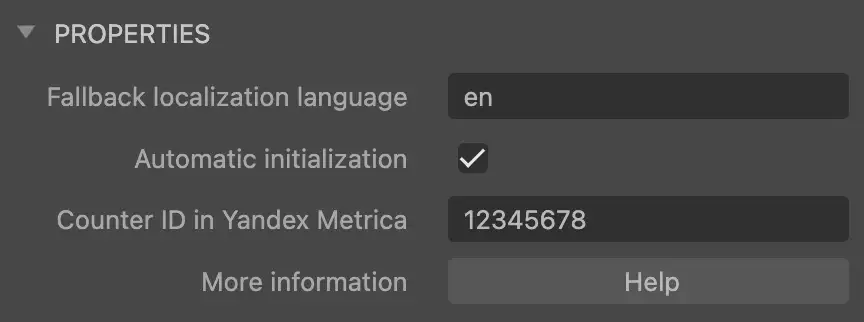
Screenshot of Construct 3: the "Properties" section of the plugin. There are 4 items: the "Standard language..." field is set to "en", the "Auto-initialization" option is enabled, the "Metrica counter ID" field is set to "12345678", and to the right of the word "Advanced" there is a button with the text "Help".

Sending a goal

To send a goal to Yandex Metrica, use the Send goal action. It accepts the following parameters:

Parameter

Type

Description

Goal name

string

The name of the goal in Yandex Metrica.

Additional goal data

JSON

Optional additional data that will be sent to Yandex Metrica.

Example

Screenshot of Construct 3: the screen for configuring Metrica using the YandexGamesSDK plugin. A table with three columns (the third cell has the "+ Add action" and "+ Add..." buttons) and one row — "Button", "On click", "Yan... | Send the "promo_banner_click" goal to Yandex Metrica".


Repository
