Targetings and limits
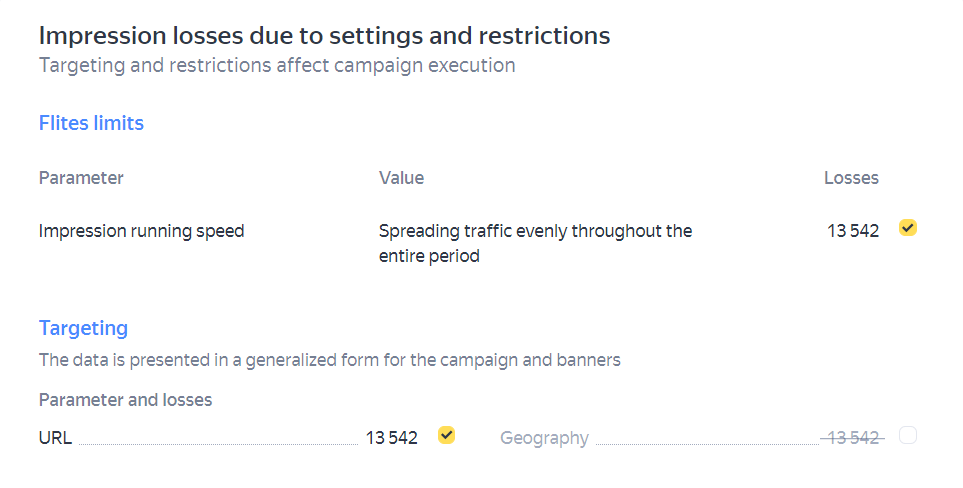
If the campaign you're making a forecast for has any limits or targetings that reduce the available inventory and explicitly affect the number of impressions, they'll be listed under the forecast.
The list contains data on the potential number of impressions that the campaign loses due to these limits or targetings:
Note
If you don't see the list with targetings or limits, it means that the forecasted campaign doesn't have any settings that explicitly affect the way it runs.
If the campaign forecast suggests that it may not be completed, you can model how disabling targetings or limits would affect completion. To do this, exclude a targeting or limit from the forecast by clearing the  checkbox in the corresponding line and update the forecast. The line with the excluded parameter will then turn gray (meaning the parameter isn't included in the forecast).
To add the targeting or limit back, select the appropriate checkbox and update the forecast again.
You can't disable targetings and limits when creating a campaign, but you can modify them in the settings.
For recommendations on what to do if your campaign might not be completed, see Forecast analysis.