---
metadata:
- name: generator
content: Diplodoc Platform v5.52.0
- name: googlebot
value: max-snippet:50
alternate:
- https://yandex.com/support/partner/en/support.md
- https://yandex.com/support/partner/ru/support.md
- href: en/support.md
type: text/markdown
title: Markdown version
- href: llms.txt
type: text/markdown
title: llms.txt
---
> **Documentation Index:** Fetch the complete configuration index at https://yandex.com/support/partner/en/llms.txt
# Contact support
We work 24/7 and are always ready to help.
To send a message to the support team, select a topic.
## New partners {#new-partners}
{% cut "Registration" %}
Complete the [application form](https://partner.yandex.com/form/?lang=en) to join the Yandex Advertising Network, please enter your contact information, banking details, and specify your resource. To learn more about completing this form, see [New partners](https://yandex.com/support/partner/en/joining/index.md).
The review process for applications to join the Yandex Advertising Network typically takes:
- One day for sites.
- Two days for mobile apps.
During this time, Yandex moderators will [check your resource](https://yandex.com/support/partner/en/joining/moderation.md) for compliance with the Rules of participation. Once moderation is complete, you'll see a message about its results in the **Notifications** tab.
If you didn't find the answer to your question, [send us a message in the chat](https://yandex.com/chat?context=%7B%22entrypoint%22%3A%22%7B%5C%22entrypoint%5C%22%3A%5C%22help%5C%22%2C%5C%22a_pagename%5C%22%3A%5C%22partner-en%5C%22%7D%22%7D#/user/00155607-f40f-9af8-7910-84a29fd95914). Describe the issue in detail and attach screenshots so that we can help you faster.
{% endcut %}
{% cut "Resource moderation" %}
Moderation is the process of checking a resource for compliance with the [Rules of participation in the Yandex Advertising Network](https://yandex.ru/legal/partner/?lang=en) and [requirements for ad units](https://yandex.com/support/partner/en/yan-rules/index.md#blocks). Moderation takes less than one day for sites and up to two days for mobile apps. Once moderation is complete, you'll see a message about its results in the **Notifications** tab.
To learn more about the moderation steps and timeframes, see [Moderation](https://yandex.com/support/partner/en/joining/moderation.md).
If you didn't find the answer to your question, [send us a message in the chat](https://yandex.com/chat?context=%7B%22entrypoint%22%3A%22%7B%5C%22entrypoint%5C%22%3A%5C%22help%5C%22%2C%5C%22a_pagename%5C%22%3A%5C%22partner-en%5C%22%7D%22%7D#/user/00155607-f40f-9af8-7910-84a29fd95914). Describe the issue in detail and attach screenshots so that we can help you faster.
{% endcut %}
{% cut "Verifying an app" %}
To verify access to the app, the Yandex Advertising Network uses the developer's email or site specified in the app store. To learn more about verification methods, see [Help for Ads in mobile apps](https://ads.yandex.com/helpcenter/en/monetization/app/add#verify-app).
If the email or site is listed in the store, but are missing in the Yandex Advertising Network interface, fill out the form below to verify access to the app.
{% endcut %}
## Ad serving {#show-ads}
{% cut "Ad placement" %}
1. Create a site: a single object that brings together all of the placements on your resource. Use the site to configure multiple ad units at once. For more information about creating a site, see the Help ([for sites](https://yandex.com/support/partner/en/web/adplatform.md) | [for mobile apps](https://ads.yandex.com/helpcenter/en/monetization/app/add) | [for videos](https://yandex.com/support/partner/en/video/resource.md)).
1. Create a new ad unit on your site using the visual ad unit builder. Ad code will then be generated based on the specified settings.
1. Insert the ad code into your resource's code.
If you didn't find the answer to your question, [send us a message in the chat](https://yandex.com/chat?context=%7B%22entrypoint%22%3A%22%7B%5C%22entrypoint%5C%22%3A%5C%22help%5C%22%2C%5C%22a_pagename%5C%22%3A%5C%22partner-en%5C%22%7D%22%7D#/user/00155607-f40f-9af8-7910-84a29fd95914). Describe the issue in detail and attach screenshots so that we can help you faster.
{% endcut %}
{% cut "Setting up ad units" %}
Use the ad unit designer to configure the settings of your ad units: [format](https://yandex.com/support/partner/en/web/units/formats/index.md), CPM floor, and [other parameters](https://yandex.com/support/partner/en/web/units/settings.md). To learn more about the builder, see [Setting up impressions](https://yandex.com/support/partner/en/quick-start.md#how-to-setup).
If you didn't find the answer to your question, [send us a message in the chat](https://yandex.com/chat?context=%7B%22entrypoint%22%3A%22%7B%5C%22entrypoint%5C%22%3A%5C%22help%5C%22%2C%5C%22a_pagename%5C%22%3A%5C%22partner-en%5C%22%7D%22%7D#/user/00155607-f40f-9af8-7910-84a29fd95914). Describe the issue in detail and attach screenshots so that we can help you faster.
{% endcut %}
{% cut "Resource blocked due to invalid clicks and impressions" %}
A resource may be blocked if it uses fraudulent methods to generate clicks and impressions. It will be rejected with a message saying “The site or app doesn't meet the Rules of Participation in Yandex Advertising Network for other reasons”.
{% endcut %}
{% cut "Rule violations" %}
If a site or an app violates the [Rules of the Yandex Advertising Network](https://yandex.com/support/partner/en/yan-rules/index.md), submit this form.
{% endcut %}
## Revenue and statistics {#payments-and-statistics}
{% cut "Documents and payments" %}
You will receive payments from the Yandex Advertising Network each month provided your earnings reach the minimum threshold. The threshold depends on your [country of residence and type of partnership](https://yandex.com/support/partner/en/payments/index.md#profit).
If you haven't found the answer to your question, describe the issue in detail using the feedback form and attach screenshots so that we can help you faster.
{% endcut %}
{% cut "Statistics and monitoring" %}
The Yandex Advertising Network provides instruments for analyzing and monitoring statistics. These include reports, widgets, Telegram notifications, and newsletters. For more information, see [Statistics and dashboard](https://yandex.com/support/partner/en/statistics/index.md).
If you didn't find the answer to your question, [send us a message in the chat](https://yandex.com/chat?context=%7B%22entrypoint%22%3A%22%7B%5C%22entrypoint%5C%22%3A%5C%22help%5C%22%2C%5C%22a_pagename%5C%22%3A%5C%22partner-en%5C%22%7D%22%7D#/user/00155607-f40f-9af8-7910-84a29fd95914). Describe the issue in detail and attach screenshots so that we can help you faster.
{% endcut %}
## Ads in videos
{% cut "Video ad" %}
Yandex Advertising Network partners can only show video ads if their site's daily traffic exceeds 10,000 users. If your site meets this condition, contact us using the feedback form to enable video ads. Specify the domain and the link to the site traffic.
To learn how to start serving video ads, see [Ads in videos](https://yandex.com/support/partner/en/video/index.md).
If you haven't found the answer to your question, describe the issue in detail using the feedback form and attach screenshots so that we can help you faster.
{% endcut %}
{% cut "Video hosting" %}
If you have any questions about our video hosting, fill out the form below.
{% endcut %}
## Other {#other}
{% cut "Ad performance" %}
Your ad performance and your revenue both depend on many factors. You can find a list of our recommendations for increasing ad efficiency [here](https://yandex.com/support/partner/en/efficiency/index.md).
If you haven't found the answer to your question, describe the issue in detail using the feedback form and attach screenshots so that we can help you faster.
{% endcut %}
If your question doesn't require a detailed review, you can also:
Write to WhatsApp
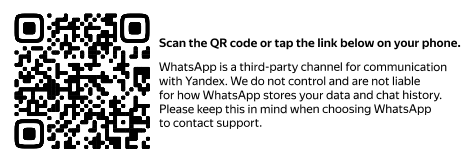 Go to WhatsApp
Write to Telegram
 Go to Telegram
Write to chat
Send an email
{% note info %}
Please [review your experience](https://yandex.com/support/partner/en/reply.md) after contacting support.
{% endnote %}