Frequently asked questions
- Setup and moderation
- Impression settings and schedule
- Revenue and effectiveness
- Transferring and managing channels
- Legal compliance (Roskomnadzor and the ad register)
- Monetization models
- Adfox and direct sales
- Statistics, reports, and metrics
- Exclusions, reports, and security
- Technical issues and errors
- Other questions
- Contact support
Setup and moderation
Why do I see the error "User with the accounts %s isn't the channel owner" when trying to add a Telegram channel?
The most common cause of this error is that your Telegram account isn't linked to your Yandex ID. To link an account:
- Go to your Yandex ID → More → External accounts.
- Link the account that owns the Telegram channel.
- Once you do that, re-add the channel through the YAN interface.
How long does it take for the first ad posts to appear after my channel passes moderation?
This process usually takes about 90 minutes. The system needs time to apply your settings and start matching relevant ads. In rare cases, this may take longer.
My channel passed moderation, but no ads are appearing. What do I do?
Check the following:
- Channel status. The channel must have the Active status in the YAN interface.
- Contract. Make sure you accepted the Yandex Advertising Network offer. After your trial period ends, no new ads are posted until you sign the contract.
- Monetization settings. Enable either the Auction or Marketplace model and check that your CPM floor isn't set too high.
- Last post. Your channel must have at least one original post published after the last ad post.
- Ad post limits. Ensure your channel doesn't exceed the daily (4 ad posts) or weekly limit.
Impression settings and schedule
I've set up a schedule (for example, 7 posts a week between 12:00 and 15:00), but the bot doesn't meet it consistently. Why?
Each green time slot in the schedule represents a potential spot for a single ad post. If you select three consecutive slots (for example, 12, 13, 14), the bot can post an ad in each one, up to the maximum limit of 4 posts per day. Posts are distributed across your selected slots randomly.
I've set up 14 ad posts per week, but I also publish 5 paid posts from direct advertisers. Do they count against the limit?
No, they don't. Posts from direct advertisers (not placed by the YAN bot) are considered organic content and don't count against your YAN ad limit. The main rule to keep in mind is that there must be at least one original post or direct ad between two YAN ad posts.
Why did the YAN bot delete an ad post before 48 hours had passed?
The YAN bot can delete a post early if it has been edited. Avoid editing ad posts and disable any other bots that might do this automatically.
Revenue and effectiveness
How much will I earn per ad post?
The exact amount is impossible to predict. Your revenue per thousand impressions (cost per mille, CPM) is determined by an auction among advertisers. It is influenced by your audience engagement, click-through rate (CTR), and conversion metrics.
The more active your subscribers are, the more valuable your channel becomes to advertisers, leading to higher potential revenue.
Why is my channel's CPM so different from the CPM of similar channels?
The Yandex Advertising Network evaluates the effectiveness of your specific platform. CPM is calculated individually for each channel based on its history of impressions, clicks, and conversions.
Focus on increasing audience engagement: it's the key to growing your revenue.
How do I view detailed statistics for ad posts?
- In the YAN interface, go to Statistics.
- In the filter settings, select your channel ID.
- For dimensions, specify Post title or Post ID.
- Select the metrics you need: Impressions, Revenue, CPMV, or Requests.
- Click Build report.
The report will show statistics for each ad post.
Transferring and managing channels
How do I transfer a channel to another YAN account?
You can transfer a channel if your messaging app account is the channel owner but is linked to a different Yandex ID:
- Go to the new Yandex ID → More → External accounts and link your account.
- Log in to your YAN account using this Yandex ID, then add the channel.
Once added, the channel is submitted for moderation and automatically archived in your original YAN account.
Note
In addition, you can transfer a channel to another YAN account by clearing the channel ownership attribute and changing the channel owner.
How do I transfer control of my channel to another person (a seller or new owner)?
Archive the channel in the YAN interface and clear your owner status:
- Find the channel in the list, then click Archive in the row with its name.
- Click Change ownership status and confirm the action.
After that, the new owner can add the channel to their account and verify ownership.
Warning
You can only cancel the transfer before the new owner confirms their ownership rights.
How do I temporarily suspend ads without removing the bot?
In the YAN interface, find the desired channel and click → Stop impressions.
To resume impressions, click Start impressions.
Legal compliance (Roskomnadzor and the ad register)
Do I have to register my channel with Roskomnadzor?
Yes, if your channel has over 10,000 subscribers and targets an audience in Russia.
Since June 26, 2025, this requirement is mandatory for monetization in YAN. If your channel has fewer subscribers, you don't have to register it.
How do you verify that a channel is registered with Roskomnadzor? Do I need to send a confirmation?
We verify registration automatically through the official register on Gosuslugi. You don't need to send us a confirmation. If your channel is missing from the register, its monetization will be disabled.
Do I need to label YAN ads manually?
No, you don't. As an advertising data operator (ADO), Yandex does this automatically. Each ad contains an "Ad" label, a link to the advertiser, and a token (ERID). The necessary data is sent to the state register (ERIR) without requiring any action on your part.
Monetization models
What are the requirements for enabling the marketplace model for a channel?
In addition to basic requirements, channels must pass a multi-factor scoring assessment. During this evaluation, we consider audience engagement, content quality, traffic authenticity, and whether the channel is listed on analytics services like TGStat.
The marketplace model isn't available to all channels. If it isn't available to you right now, it may become available later, when your channel metrics improve.
I've activated the marketplace model, but no ads appear. Why?
Check the following:
- CPM. A CPM value that is too high may reduce demand for placements in your channel.
- Slot settings. Make sure you have enough open ad slots in your schedule.
- Auction model. If you have this model disabled, we recommend activating it. It helps fill empty slots when no advertisers are found on the marketplace.
How can I check whether a specific post was made under the marketplace or auction model?
In the Statistics section, generate a report with the Ad unit type dimension.
The report will display the ad unit type for each post. In the chart, data is color-coded to distinguish between the auction and marketplace models.
Adfox and direct sales
Why connect Adfox if I already have YAN?
Adfox is used to place ads from advertisers who work with you directly. You can set up your ads in Adfox, and the YAN bot will automatically post them according to your schedule. This gives you a one-stop solution for easier tracking, labeling, and automation of all your posts.
Does enabling Adfox stop YAN auto ads?
No, YAN will continue serving ads. Adfox and YAN work in parallel. The system first attempts to place direct sales ads from Adfox. Then, if no suitable options can be found, it fills the slots with YAN ads.
My channel didn't pass YAN moderation. Can I still use Adfox?
Yes, you can. YAN moderation results don't affect your ability to work with Adfox. You can run direct ads via Adfox in any channel.
However, no automatic YAN ads will be posted in this channel.
Statistics, reports, and metrics
There is a delay in statistics updates. How often are they updated?
Your channel statistics are updated every 30–60 minutes. If a post was published less than an hour ago, no data may be available for it yet. Try checking back later.
How do I view statistics for a specific post over its entire impression period (48 hours)?
In reports with dimensions by day, each post's impressions are divided across multiple days. To get a complete picture, use the Post title or Post ID dimension. This will show you the combined data for the entire impression period.
What is fill rate and what does it affect?
Fill rate is the percentage of your ad slots that are successfully filled with ads. For example, a low fill rate of 30% means that no ads were served in 70% of your scheduled slots.
This can be caused by a high CPM floor, narrow content exclusions, or low demand from advertisers.
Exclusions, reports, and security
How do I restrict ads from specific categories, such as alcohol or dating?
- In the YAN interface, find the line with the channel name and click Edit.
- Go to the Exclusions section and add exclusions by category or domain.
Warning
The more categories you exclude, the fewer ads will be shown, which can lower your revenue.
I excluded a category, but related ads still appear. Why?
Some ads belong to broad categories and may not be affected by narrow exclusions. If this happens, go to the Exclusions section and exclude the advertiser domain. After this, ads leading to that site will no longer be shown in your channel.
What is a debit for invalid impressions or clicks and why did it occur?
This is a revenue deduction caused by invalid impressions or clicks (fake engagement). If the system detects suspicious activity in your channel, the revenue generated during that period may be canceled and returned to the advertiser. This protects advertisers from platforms acting in bad faith.
Technical issues and errors
I added a channel, but it's been stuck in the "Bot setup in progress" status for several hours. What do I do?
Make sure you've added the YAN bot to your channel and granted it administrator rights. Once the bot is added, the channel status should update within 2 hours.
If you've added the bot, but the status remains unchanged after this time, try removing it from your channel and re-adding it through the YAN interface by clicking Get new bot.
I changed my Telegram channel link. Do I need to re-add it to YAN or replace the bot?
No, you don't. The channel link updates automatically. This usually takes some time, but no more than 24 hours.
If the link doesn't update in the interface after 24 hours, contact us.
My channel status is Archived, but the Restore button is still disabled. What does this mean?
This means the system archived the channel because you didn't confirm your ownership — for example, you didn't add the bot within the required timeframe.
You can't restore this channel using your old account. Re-add it to your current or new account.
Other questions
Can I monetize Telegram Mini Apps through YAN?
Yes, you can. Monetization is available for web and HTML5 app developers. To enable it, in the Website Ads tab, add your Mini App's domain as a site and set up your ad units.
How often should I post original content to ensure ads are served consistently?
There are no strict requirements. However, there must be at least one original post between two YAN ad posts.
If ads appear too frequently in your channel, the bot will skip ad slots until you post new original content.
I want my channel to post only relevant ads that match its topic. Which strategy should I choose?
Select the Highest relevance strategy.
Keep in mind that this strategy may reduce the number of available ads, impacting your revenue. This is because competition among advertisers may be lower within a specific niche.
I accidentally removed the YAN bot from my channel. What should I do?
- In the YAN interface, go to your channel settings and click Get new bot.
- Add the new bot to your channel and grant it administrator rights. Ads will resume within 90–120 minutes.
How do I export advanced analytics?
On the About channel page, click Share. Select the metrics you need and download the image in PNG format. This is useful when pitching your channel to advertisers.
Why is there no subscriber gender and age data in my advanced analytics?
This is normal if your channel was connected recently or if there isn't enough data yet. The completeness of analytics depends on the amount of data available to Yandex. The longer your channel remains monetized, the more accurate and complete this data becomes.
Contact support
Write to WhatsApp
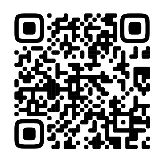
|
Scan the QR code. WhatsApp is a third-party channel for communication with Yandex. We do not control and are not liable for how WhatsApp stores your data and chat history. Please keep this in mind when choosing WhatsApp to contact support. |
WhatsApp is a third-party channel for communication with Yandex. We do not control and are not liable for how WhatsApp stores your data and chat history. Please keep this in mind when choosing WhatsApp to contact support.
Go to WhatsAppWrite to Telegram
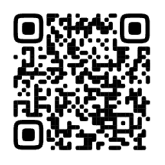
|
Scan the QR code. Telegram is a third-party channel for communication with Yandex. We do not control and are not liable for how Telegram stores your data and chat history. Please keep this in mind when choosing Telegram to contact support. |
Telegram is a third-party channel for communication with Yandex. We do not control and are not liable for how Telegram stores your data and chat history. Please keep this in mind when choosing Telegram to contact support.
Go to TelegramYou can also go to
