3.19.5. Point markings
Alert
At present, you can't use multi‑markings to edit or create items.
Draw point markings after linear markings.
When drawing point markings (road signs, lane guidance, symbols, or speed limits), place them parallel to the traffic lane and match their direction vector to that lane's traffic direction. Adjacent signs must share the same directional angle.
Point markings are divided into the following types:
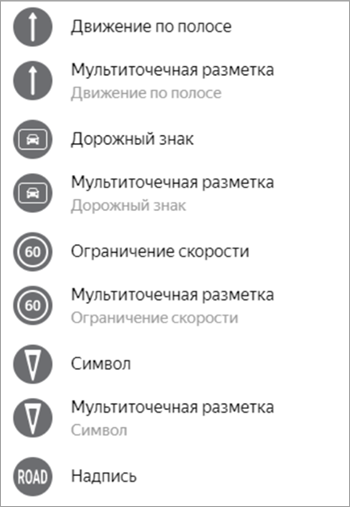
After selecting a marking type, add it by following these steps:
-
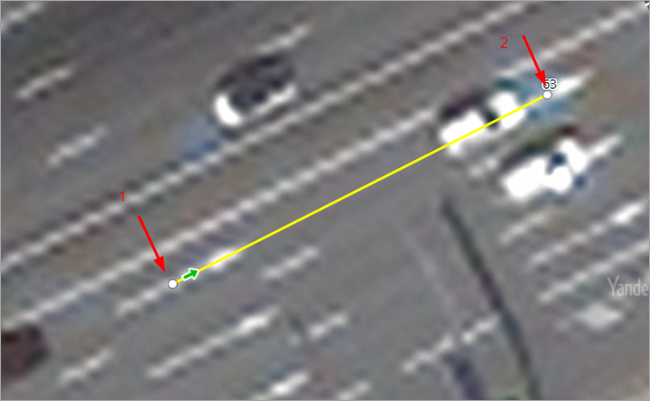
Place the first point:
-
At the center of the point marking line when drawing the lane direction (4.1) or signs 19A or 19B (4.2).
-
At the geometric center of the point marking when drawing signs, symbols, or text (4.2–4.5).
-
-
Place the second point to set the direction of the marking. This means your auxiliary line should be parallel to the linear markings when drawing over straight sections.
-
If an item overlaps a roadbed with a level other than [0;0] or a
Parking
roadbed, link it to that roadbed.
3.19.5.1. Lane direction
This section lists the lane direction point markings from the table provided in GOST 32953-2014:
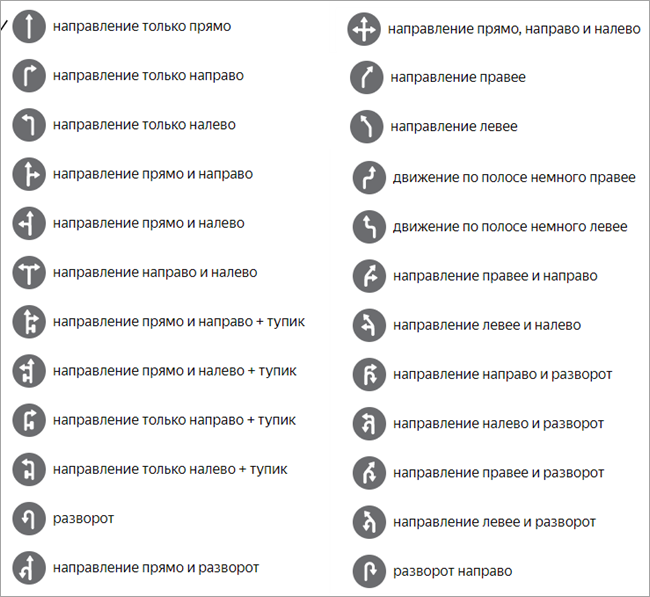
Note
There are some additional nuances to keep in mind about the Right/slight right
and Left/slight left
directions.
Currently, several types of road markings exist, particularly for the Right/slight right
and Left/slight left
directions. When you choose point markings for lanes, follow these rules:
-
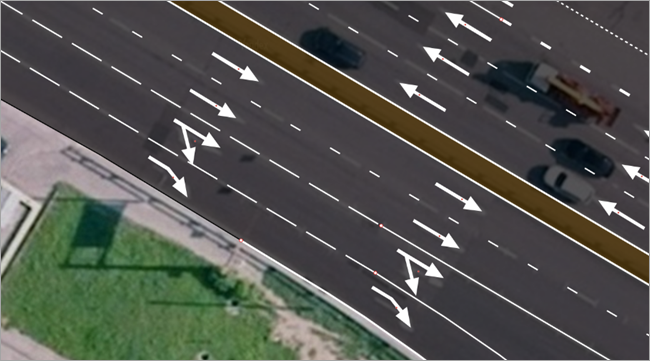
Standard (classic) road markings are a set of arrows with the following features:
-
A narrow main arrow indicating the "straight ahead" direction and a wide side arrow indicating a direction other than "straight ahead".
-
The base of the side arrow is parallel to the main arrow's direction.
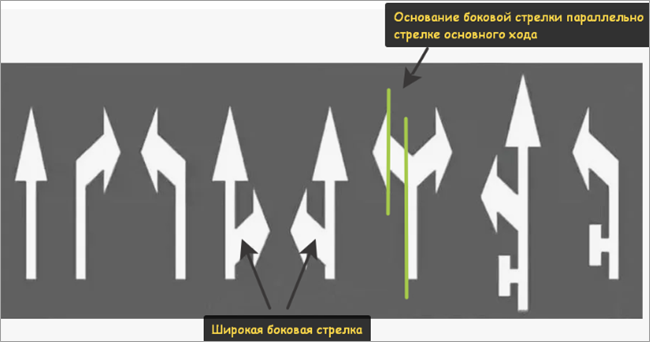
For classic markings, when adding lane data for these directions and their combinations with other arrows to HD maps, choose the
Right turn only
andLeft turn only
markings. -
-
Non-standard (new) road markings are a set of arrows with the following features:
-
The main arrow and the side arrows have the same thickness.
-
The base of the side arrow is perpendicular to the side arrow's own direction.
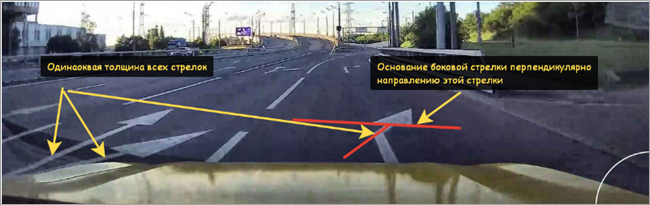
For new markings, when adding lane data for these directions and their combinations with other arrows to HD maps, choose the
Slight right
andSlight left
markings.Example
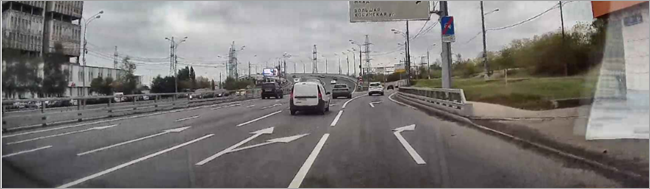
-
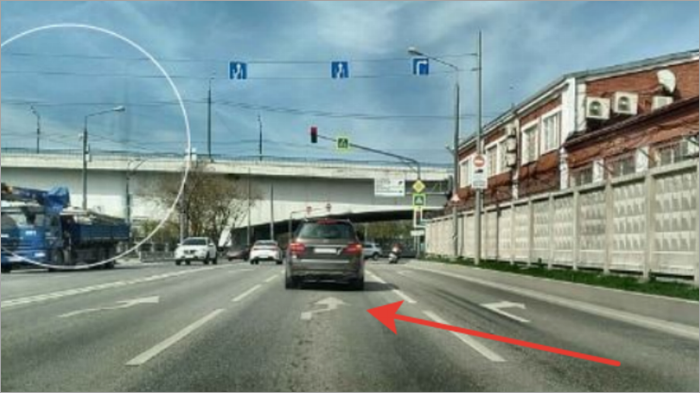
Slight right
lane marking:
3.19.5.2. Symbol
-
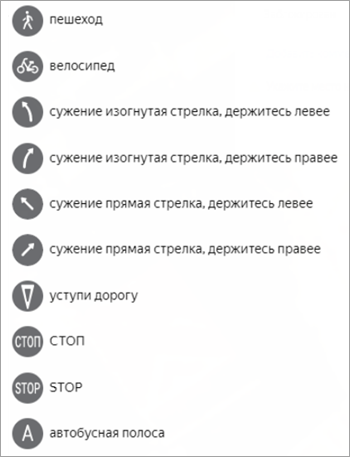
Pedestrian — denotes a pedestrian path or a pedestrian section of a path shared by pedestrians, users of personal mobility devices, and cyclists.
-
Bicycle — denotes a bicycle path, its section, or a dedicated bicycle lane.
-
Narrowing — warns of an approaching roadway narrowing (a section where the number of lanes in the given direction decreases) or of approaching markings 1.1 (solid line) or 1.11 (solid and dashed line), which separate opposing traffic flows.
-
Yield — warns of approaching marking 1.13, which indicates the point where the driver must stop to yield to vehicles on the intersecting road.
-
STOP — the word
STOP
warns of approaching marking 1.12 (stop line), which indicates the point where the driver must stop when sign 2.5 is present or when a traffic light or traffic controller prohibits movement. Use this marking in combination with sign 2.5, which denotes the side surfaces of road barriers at sharp curves, steep descents, and other dangerous sections. -
Bus lane — denotes a dedicated lane for public transport.
3.19.5.3. Road sign
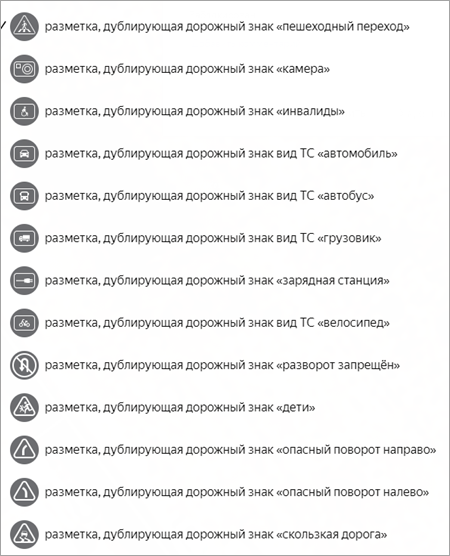
This section lists the markings that duplicate the following road signs:
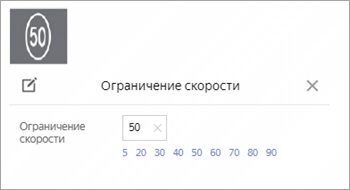
3.19.5.4. Speed limit
3.19.5.5. Text
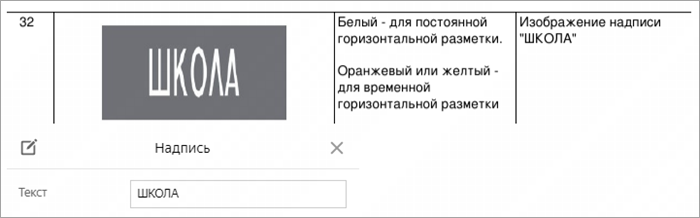
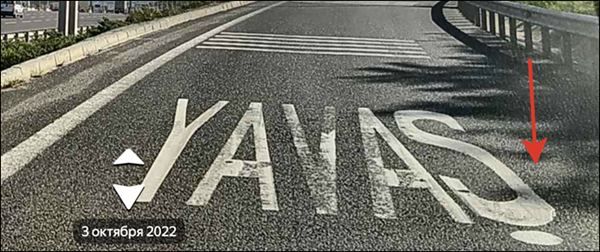
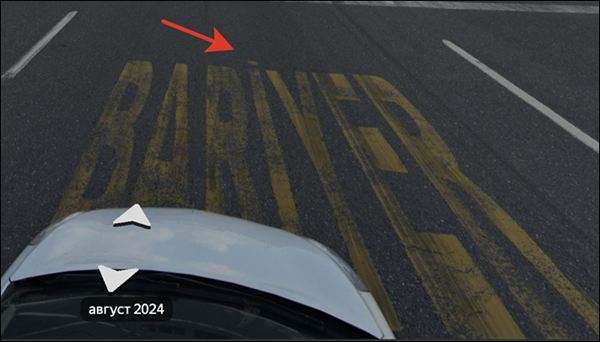
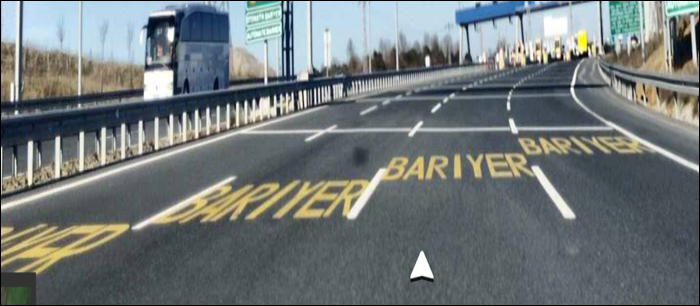
Enter English and Turkish text in their respective languages, preserving the original case lettering and using the appropriate color.
Example
Warning
Use diacritics whenever they are present in the text. For example, in the İ (İSTANBUL, BARİYER) symbol.
Examples