Share location
Alert
You can share your location in Russia, Armenia, Belarus, Kazakhstan, Serbia, Türkiye, and Uzbekistan.
You can share your location in the Yandex Maps app, see where other users are, and get directions to them.
To share your real-time location, the app will prompt you for permission to access your location in the background.
You can share your location via link with up to 25 users at a time.
Start sharing
- Tap your location on the map to open your location details.
- Tap Share my location.
- Select the period:
- 15 minutes
- 1 hour
- 8 hours
- 24 hours
- Always
- Send the link to anyone you want to share your location with.
They'll need to log in to the app to open it.
Once they tap the link, you'll get a push notification with a request for location sharing. Tap the notification to open the app and accept or decline the request.
Share back
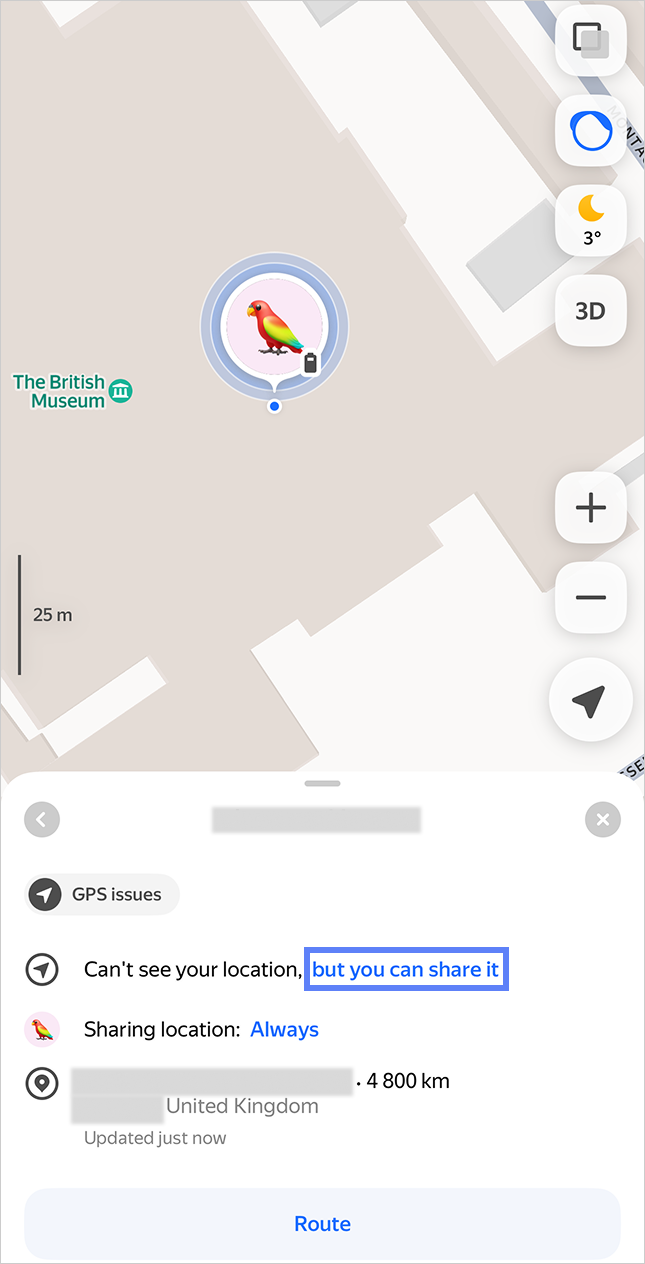
If someone is already sharing their location with you, you can share yours back. To do this, follow these steps:
-
Tap the user on the map and select but you can share it.
What it looks like
-
Select the period:
- 15 minutes
- 1 hour
- 8 hours
- 24 hours
- Always
Extend sharing
You can't extend your location sharing right now, but you can start a new one and send others a new link.
Stop sharing
To stop temporary location sharing:
- Tap your location on the map to open your location details.
- Tap Temporary location sharing.
- Tap Stop.
To stop always sharing your location:
-
Tap your location on the map to open your location details.
-
At the bottom, select the user you want to stop sharing with.
-
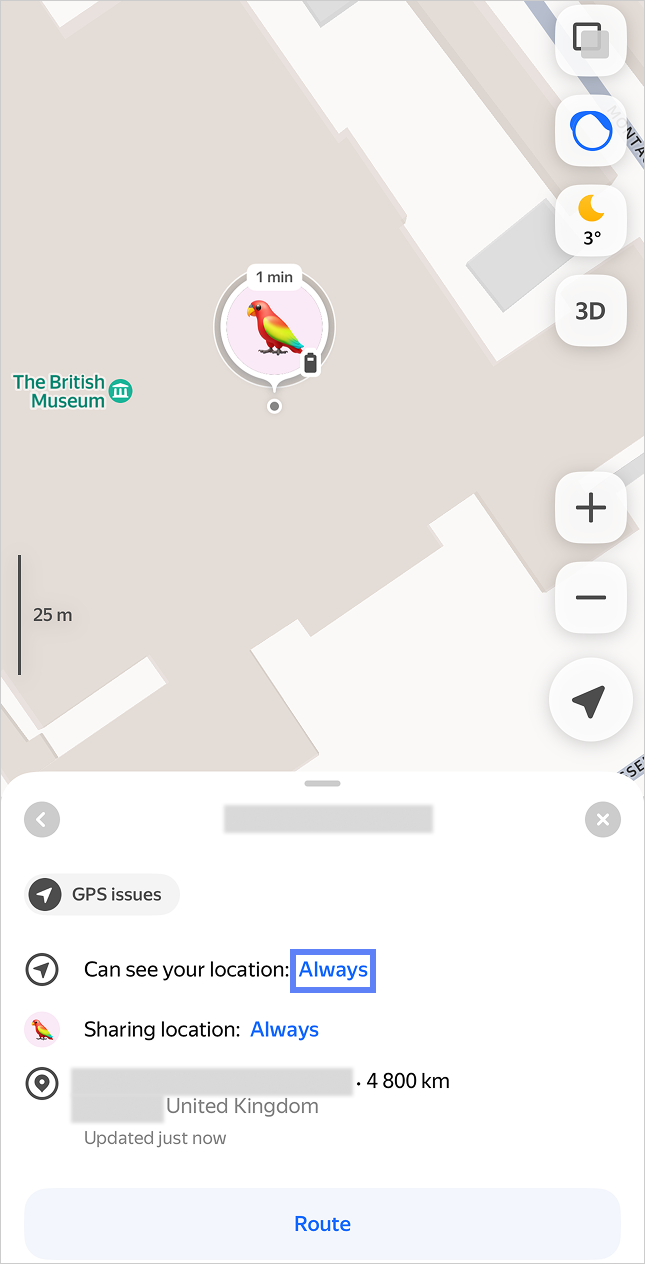
Next to Can see your location, tap Always → Don’t show my location.
What it looks like
Remove a user from your map
-
Tap your location on the map to open your location details.
-
At the bottom, select the user you want to remove from the map.
-
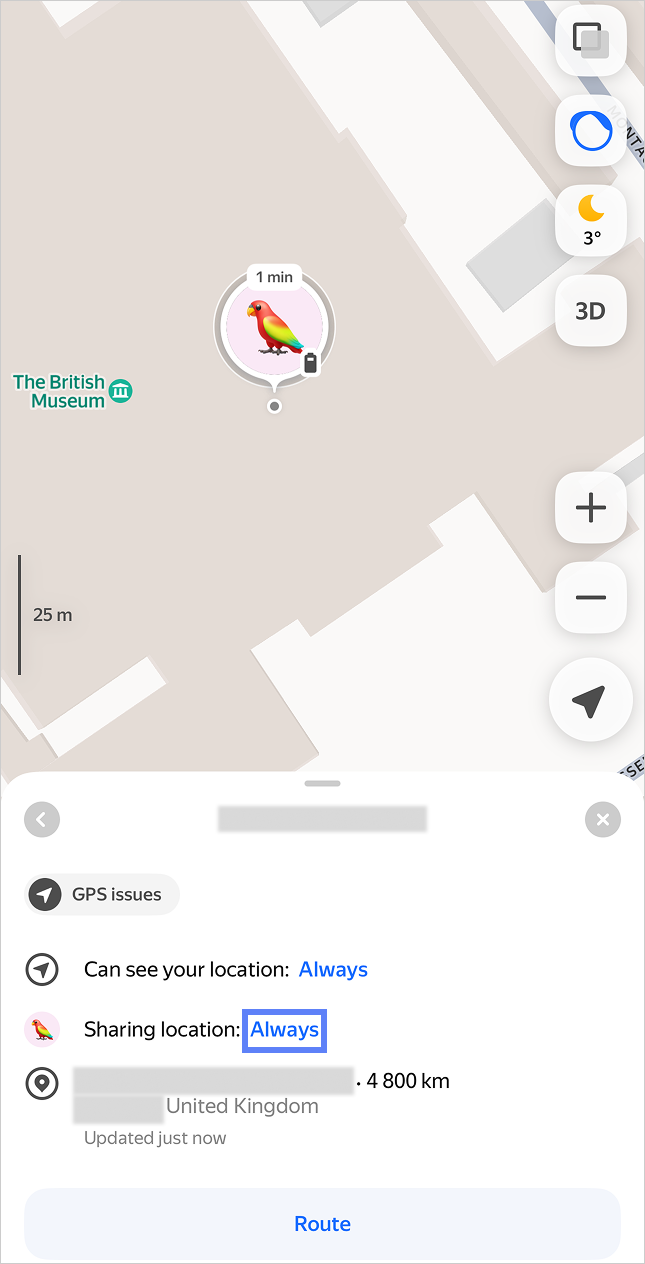
Next to Sharing location, tap Always → Remove from map.
What it looks like
Get directions to a user
In Yandex Maps, you can get directions to anyone who shares their location with you. Just tap Route on their live location and confirm your choice.
Why location updates stop
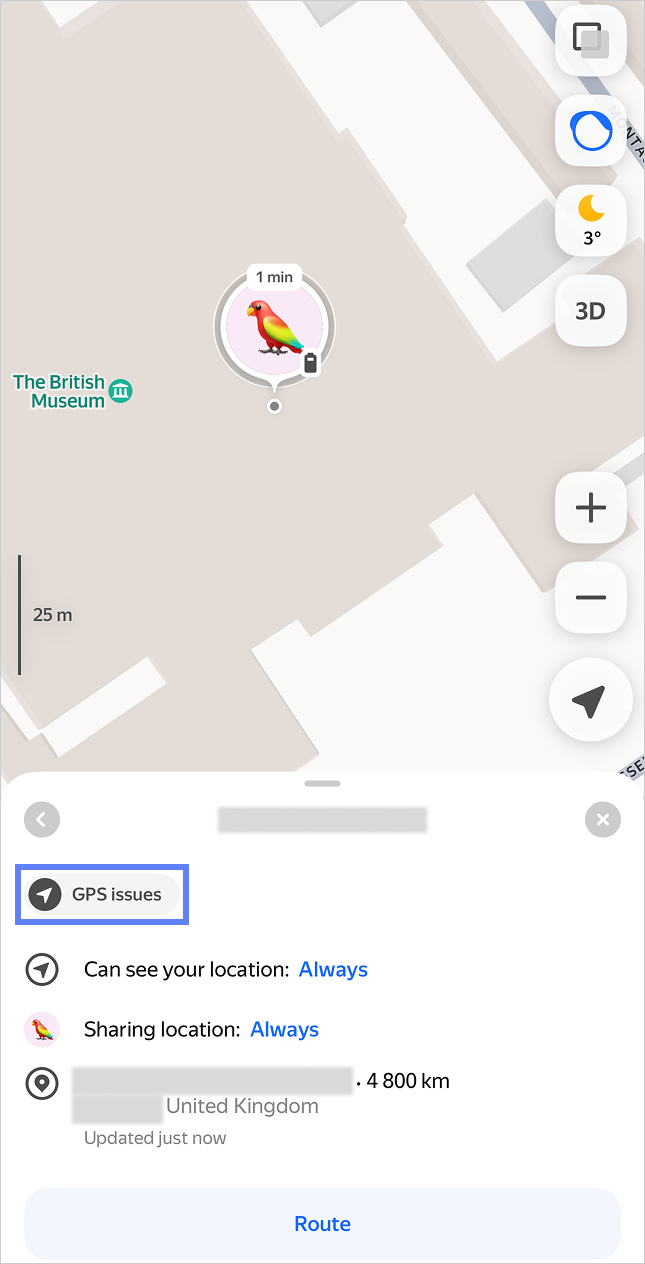
You may see in the user's location details why their location isn't updating. Possible reasons:
- Battery below 15%, charging: The user's device battery is too low.
- Data connection disabled: The user disabled location or notification access for the app. Ask them to check their app permissions.
- GPS issues: The user's device can't determine an accurate GPS location.
[//]: # (* No internet: The user lacks an active connection to send location updates.) - Phone in power saving mode: The user's device is in power saving mode, which limits background activity.
- Location not updating: The user temporarily paused sharing their location.
What it looks like
Support
If you have any questions, contact support: