Qplus (ex-QIWI)
Qplus allows performers from Kazakhstan to withdraw money from the account in Yandex Tasks.
Terms
|
Fee |
1% of the withdrawal amount |
|
Minimum withdrawal amount |
$1 |
|
Conversion |
The amount is converted from USD to tenge at the exchange rate of Qplus. Qplus may charge additional fees for currency conversion. |
Withdrawing money
-
In the menu on the left, select Balance. The My money tab opens.
Under My earnings, you'll see the amount you can withdraw and the amount under review:
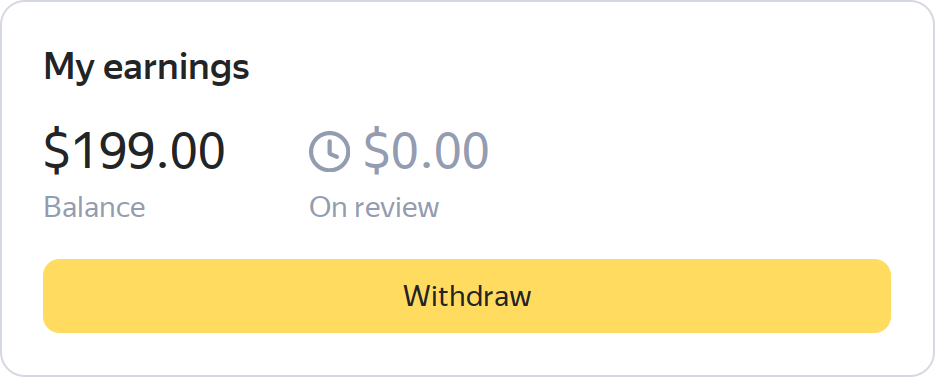
Additional information about your funds will be available at the top of the screen under your name.
Balance information
-
The amount available for withdrawal.
-
The amount to be credited if the tasks are accepted.
-
-
Press Withdraw. This opens the Money withdrawal form.
-
Select Qplus as the withdrawal method.
-
Enter your wallet number.
Warning
Be careful when entering the wallet number. Verify that the entered Qplus wallet number is correct and you have access to it. If you specified the incorrect Qplus wallet number, contact Qplus support.
The wallet is linked once. After you do this, you'll be able to withdraw money in the My money tab.
-
Enter the required amount and press Withdraw.
Press the Whole amount button to withdraw all money from your account.
-
This opens a window with the certificate of services rendered (act). Verify the details, select I agree with the act, and press Withdraw.
-
An SMS with a code will be sent to your number. Enter it and press Confirm.
The money will be credited to your account after the request is processed. This usually takes a few minutes.
You can see the transaction status and the act of acceptance in the Transactions history section.
All withdrawal methods are displayed in the Your withdrawal methods list in the My money tab.