Account overview
The Account overview is the main page of your business on Market with essential information about your stores, sales status, revenue, quality index, and other metrics.
The overview helps you quickly evaluate the overall health of your business, find issues, and learn what can be done to improve sales.
If you have multiple stores, you can select the desired one in the filter above the page and view metrics for that store only.
Tasks
Problems and warnings about them, as well as tasks that require your participation. For example:
- A buyer didn't pick up an item; storage of this item will soon become paid.
- Some products in the supply to Market warehouse were not accepted; they need to be additionally supplied or removed.
- A new question about your product has appeared.
- A buyer left a new review.
Click on the messages to quickly go to the relevant page or tool in the account.
Critical issues that hinder store operations are gathered by Market on a separate tab — pay attention to them first.
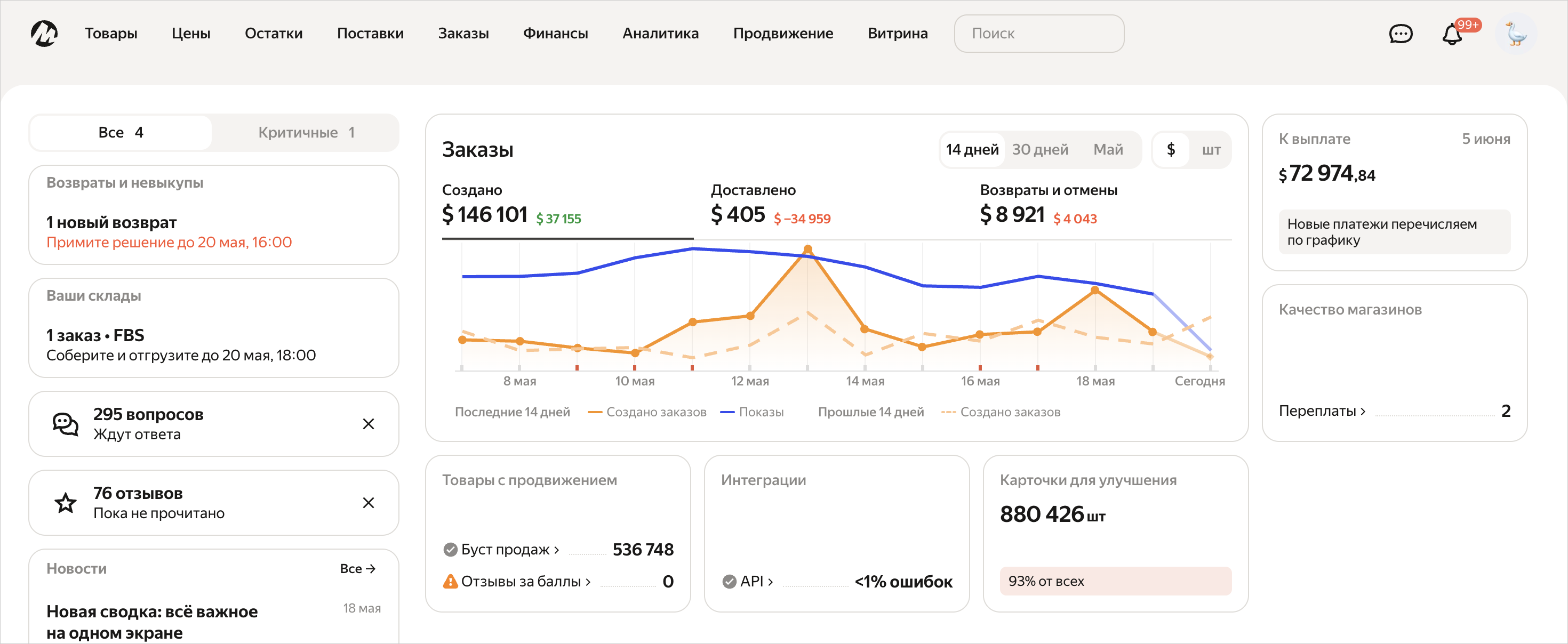
Orders
Sales statistics: in rubles, yuan, dollars, or product units. Only users with access to the account's financial information can view metrics in rubles, yuan, or dollars.
You can select the period to view data for: the last 14, 30 days, or the current calendar month.
Along with this, Market will show a graph for the same previous period so you can evaluate the change: if you are looking at the graph for March, Market will show a comparison with the graph for February.
Information is collected in tabs:
- Created. Shows the number or amount of orders you received for the selected period, and a separate graph with impressions of your products in this period.
- Delivered. Shows the number or amount of orders that were delivered to buyers during the selected period.
- Returns and cancellations. Shows the number or amount of orders that were canceled or returned in the selected period.
Store quality
The status of your stores' quality index, as well as whether there are disconnections for low quality, or overpayments for services due to delayed shipments and cancellations.
Store's FBS and FBS Last Mile quality index
Products with promotion
The number of products for which sales boost and impression boost are already set up.
More about sales boost
More about impression boost
Integrations
Integration status with Market API or other marketplaces and the number of errors.
How to set up integration with other marketplaces
Cards to improve
The overall quality status of your product cards and how many of them can be improved.
This includes any orders — even those that have not yet been fulfilled or were canceled.