Tree tables
Tree tables organize data by levels. They help you analyze performance metrics across multiple levels and dimensions in a single report.
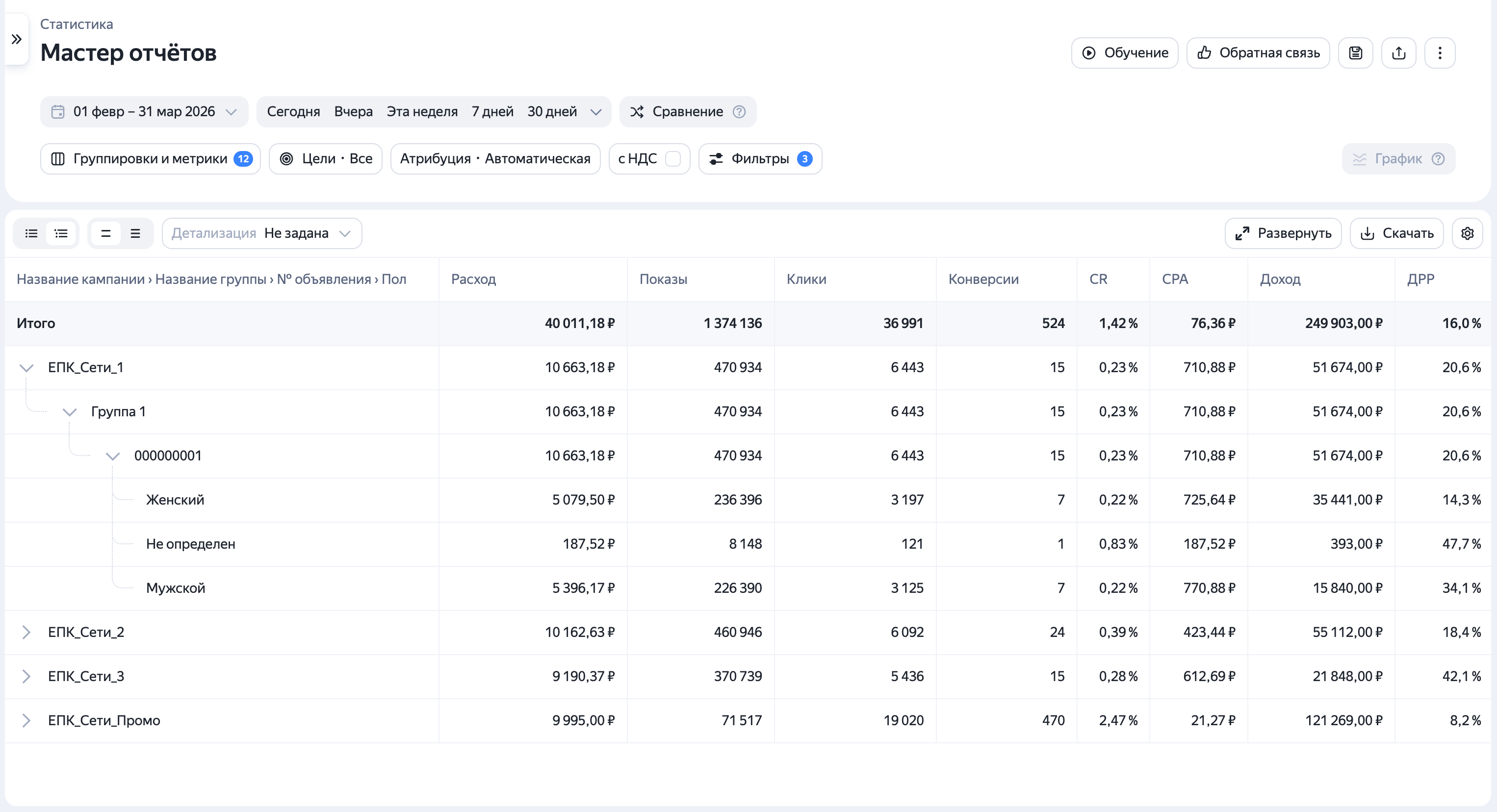
How to configure them:
- Add the dimensions you need to the report.
- Change the table view to tree view by clicking in the upper-left corner.
- Go to the report settings and choose the order of dimensions under Dimensions and metrics. This order dictates how the data levels will nest inside the table.
You can switch between the table view and tree view at any time. This feature is available in both Library and Report Wizard reports.
有问题吗?
注意
我们的客服只能协助您处理与您联系我们时使用的用户名关联的广告系列。 您可以通过在另一个浏览器标签页中打开 ya.ru 来查看您的用户名。 我们的团队只有在处理您的请求时才能访问您的数据。
扫描或轻触二维码即可访问链接。