Ağaç şeklinde tablolar
Ağaç şeklinde tablolar verileri seviyelere göre birleştirir. Onlar sayesinde aynı raporda farklı seviyeler ve gruplamalar üzerinden istatistikleri analiz edebilirsiniz.
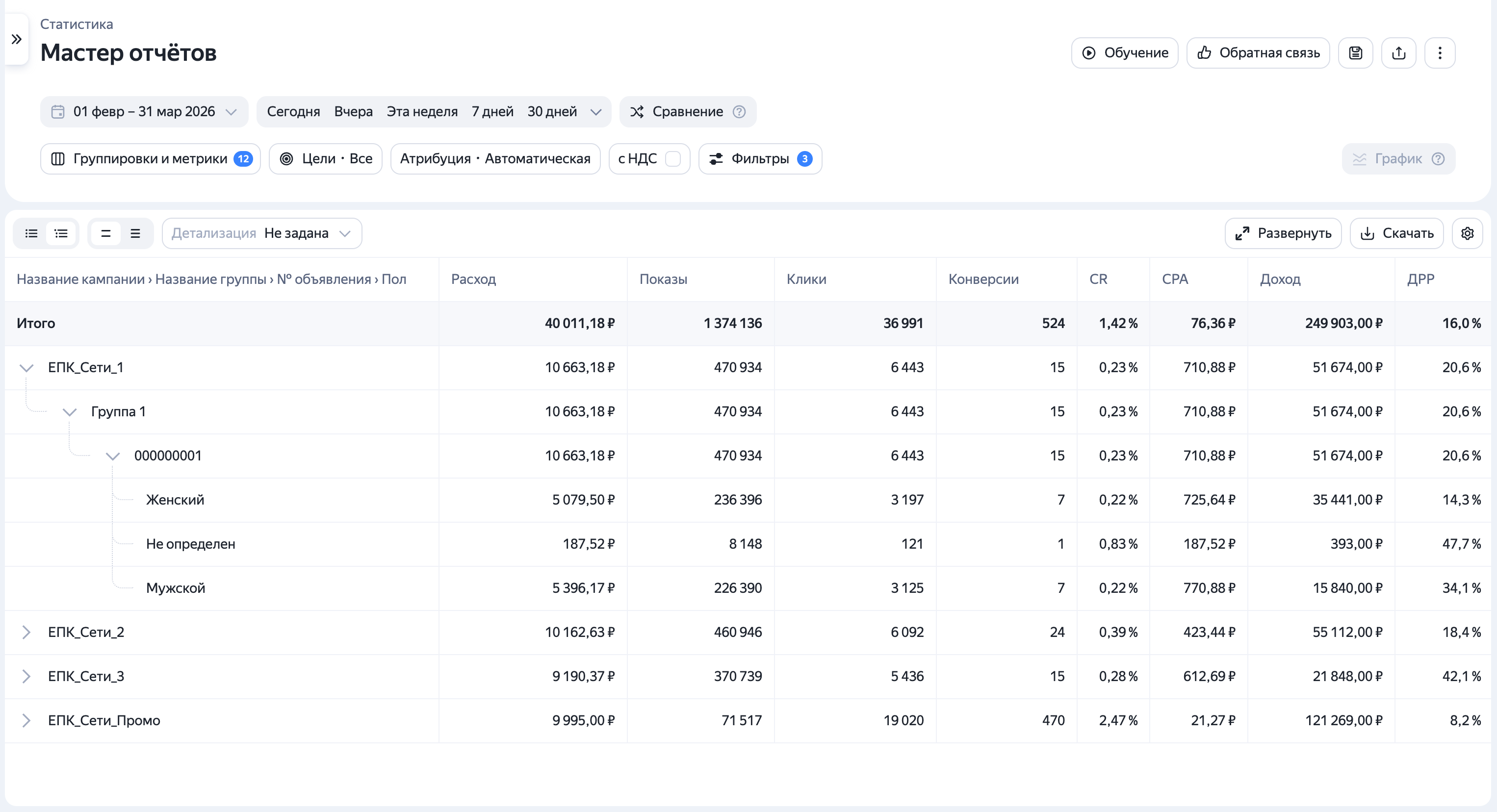
Nasıl ayarlanır:
- Rapora gerekli gruplamaları ekleyin.
- Tabloyu ağaç görünümüne dönüştürün — rapor tablosunun sol üst köşesinde butonuna tıklayın.
- Rapor ayarlarında Gruplamalar ve metrikler bölümünde gruplama sırasını ayarlayın. Verilerin tabloda iç içe nasıl gruplandırılacağı bu sıralamaya bağlıdır.
Tablonun görünümünü normalden ağaç görünümüne ve tam tersine herhangi bir zamanda değiştirebilirsiniz. Bu, Kitaplık ve Rapor Sihirbazı raporlarında çalışır.
Başka sorunuz var mı?
Dikkat
Müşteri Hizmetleri uzmanı, siz hangi kullanıcı adından iletişime geçtiyseniz yalnızca o kullanıcı adından başlatılmış olan kampanyalarla ilgili danışmanlık verebilir. Kullanıcı adı, ya.ru’yu komşu tarayıcı sekmesinde açarsanız görülebilir. Uzman, verilerinize yalnızca talebi işlerken erişebilecektir.
QR kodunu tarayın veya bağlantıya gitmek için koda tıklayın.