Toplu işlemler modu
Toplu işlem modu, "Yerleşim adı" ve "Arama sorgusu" gruplandırmaları için kullanılabilir. Bu mod, YAN sitelerinde gösterimleri yönetmeye veya negatif ifadeler listesini genişletmeye yardımcı olur.
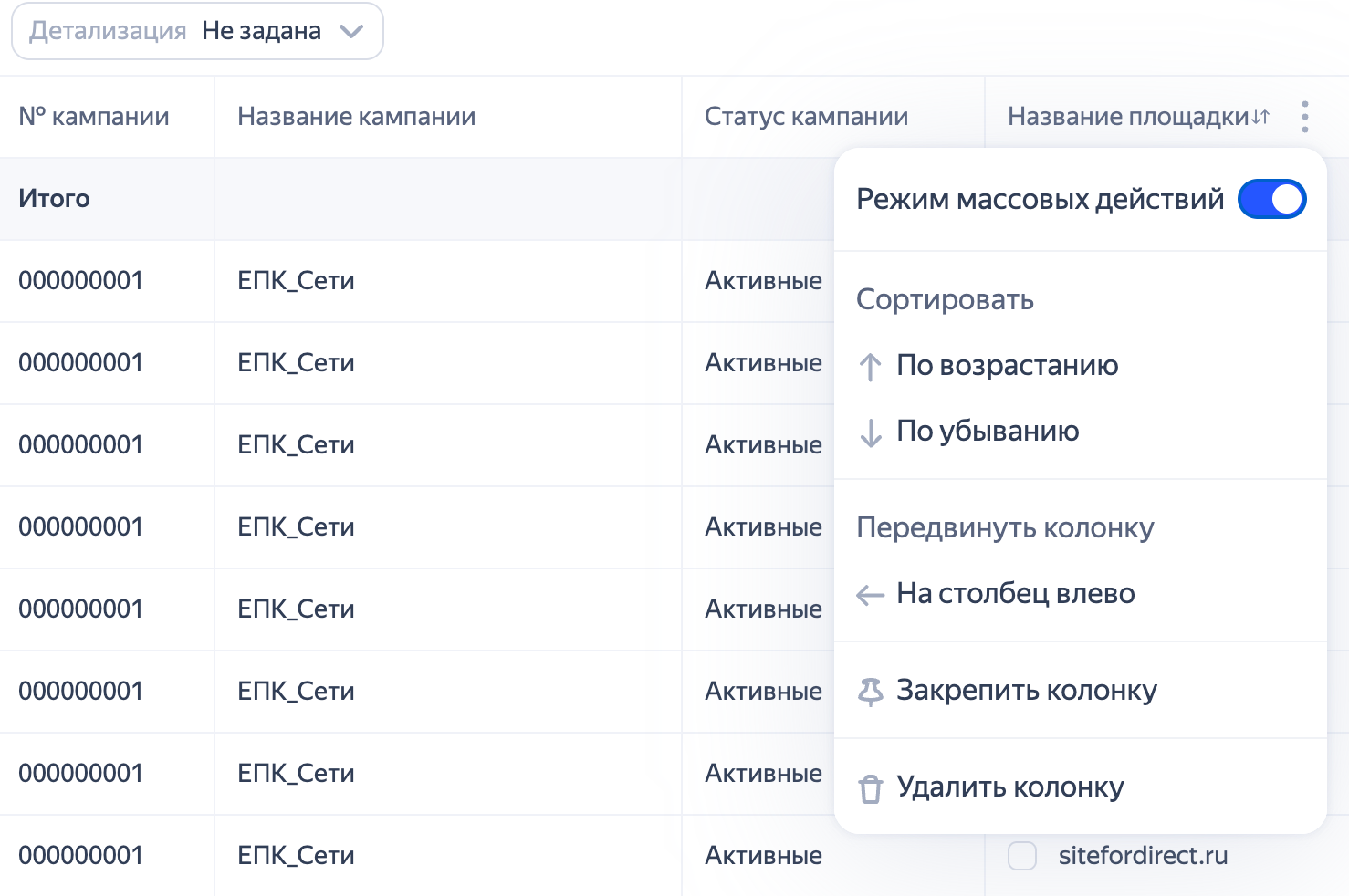
Ayar etkinleştirildiğinde sütunda, gerekli yerleşimleri veya arama ifadelerini seçmenizi sağlayan onay kutuları görüntülenir.
Rapor dan negatif ifadeleri nasıl eklenir
-
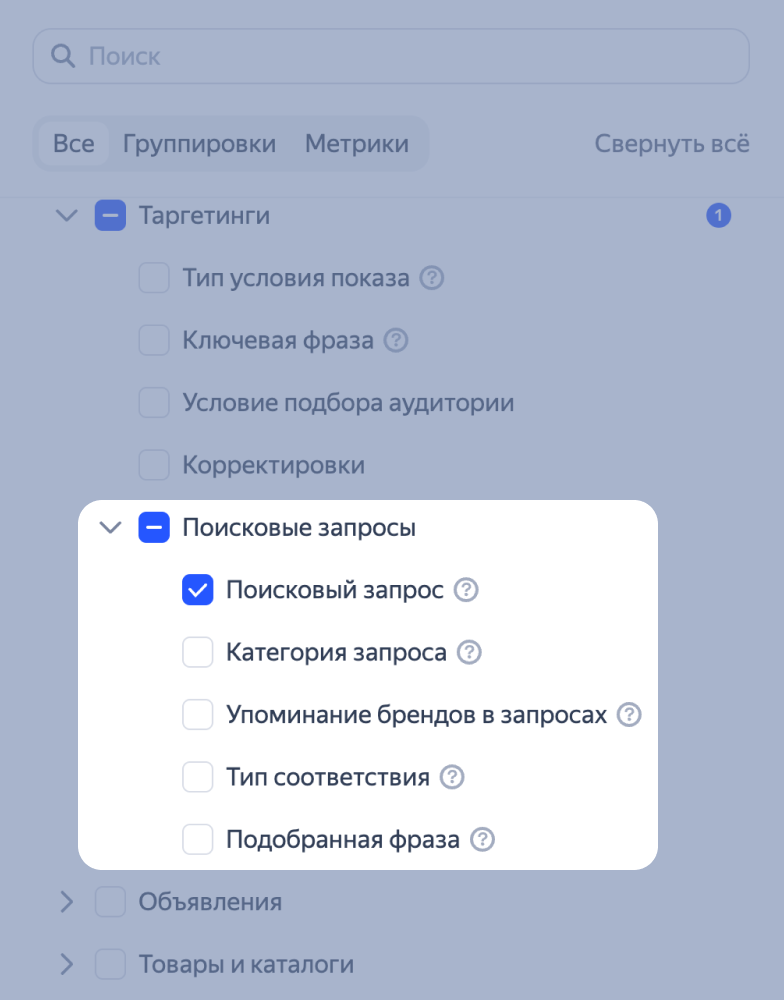
Rapora Hedeflemeler → Arama sorguları → Arama sorgusu gruplandırmasını ekleyin. Ayrıca raporda kampanya veya grup bazında gruplama olmalıdır.
-
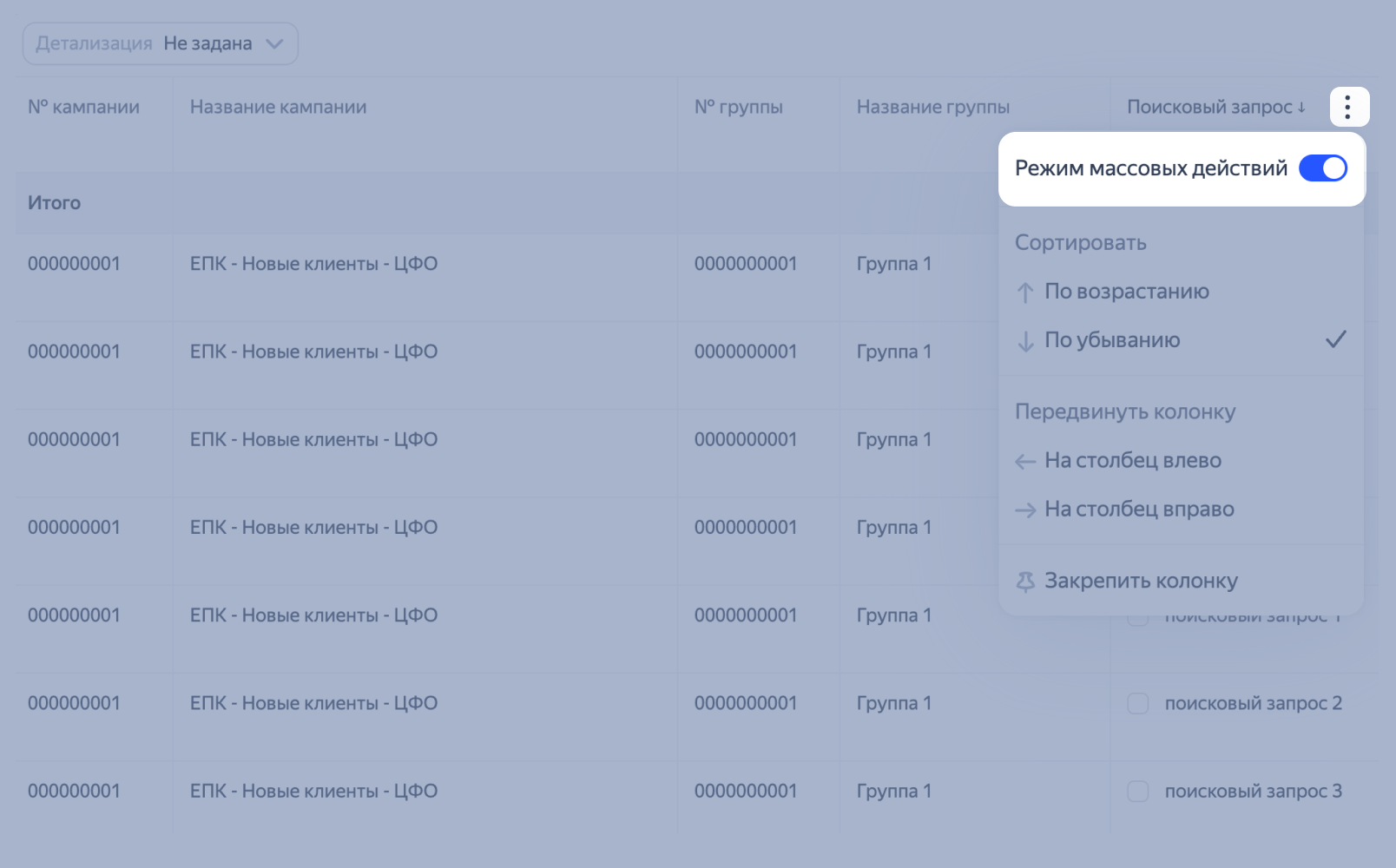
Sütun ayarlarında Toplu işlemler modu seçeneğini etkinleştirin, böylece ilgisiz sorguları işaretleyebilirsiniz.
-
Sorguların yanındaki onay kutularını kullanarak gerekli ifadeleri seçin ve Negatif anahtar kelimelere ekle'ye tıklayın.
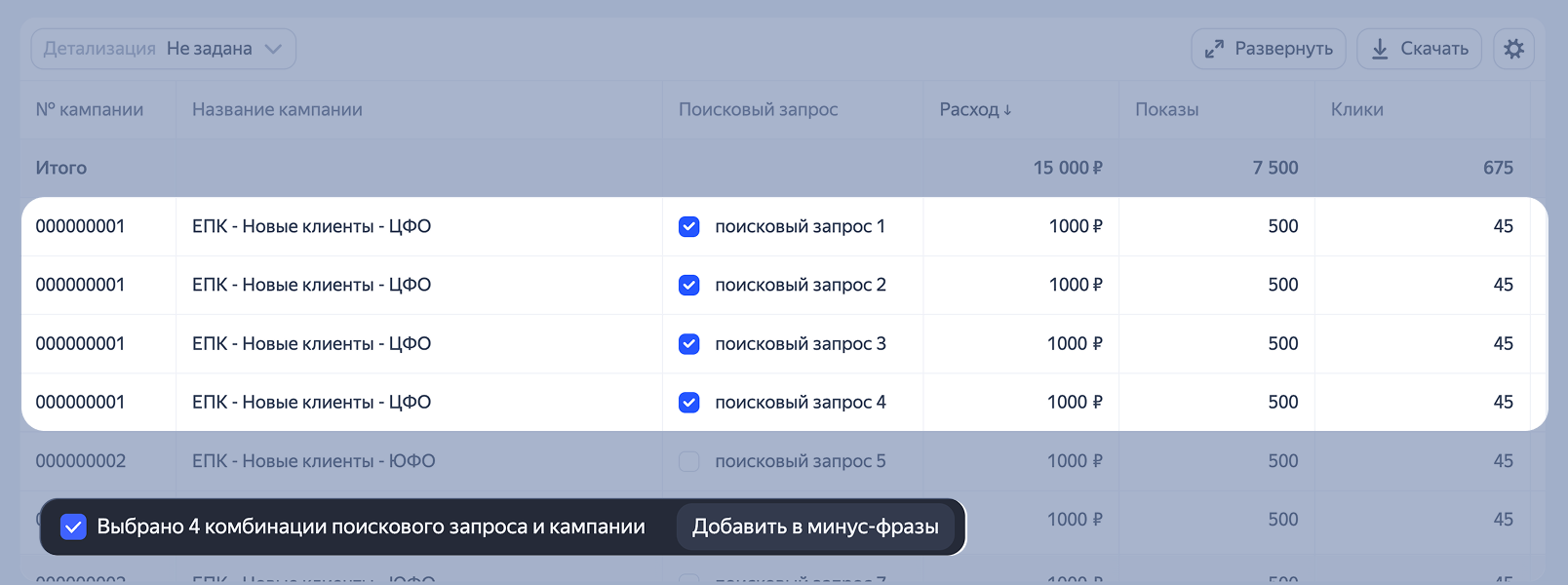
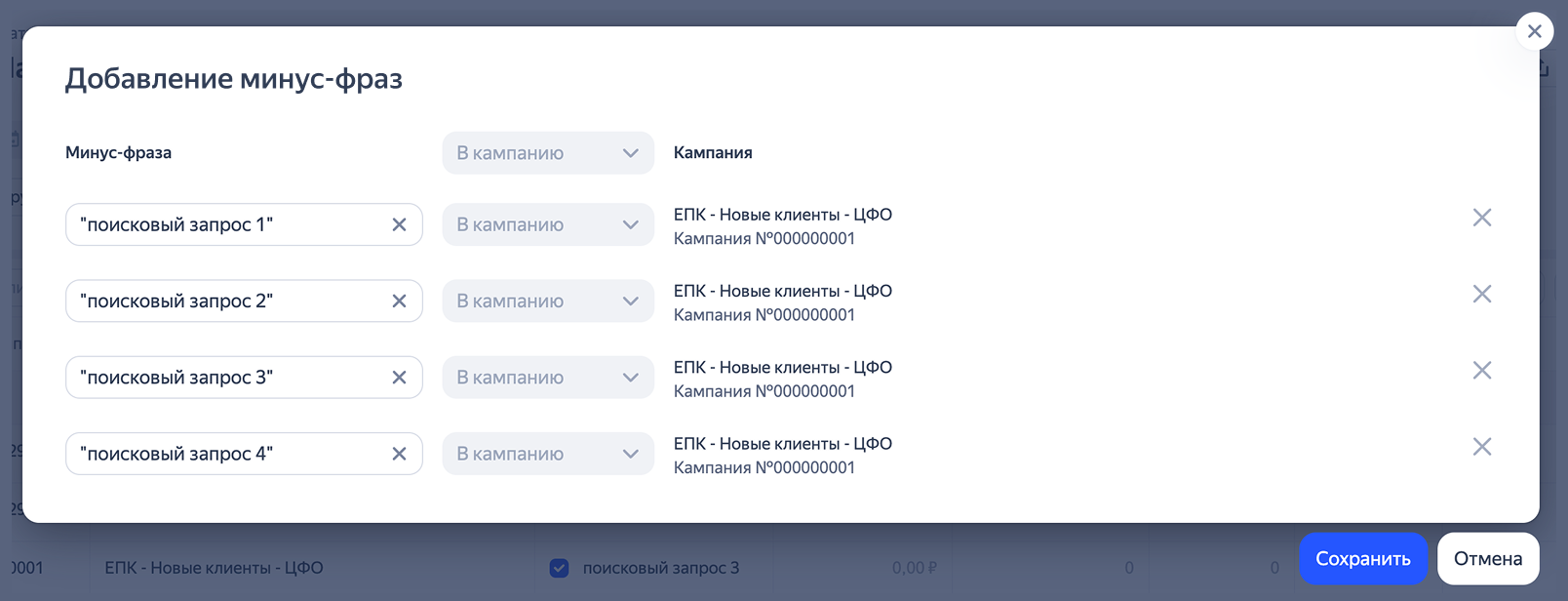
Açılan pencerede seçilen ifadelerin listesi görünecek. Hem listenin tamamını hem de tek tek ifadeleri düzenleyebilirsiniz: gereksiz olanları kaldırabilir veya operatörler ekleyebilirsiniz.
-
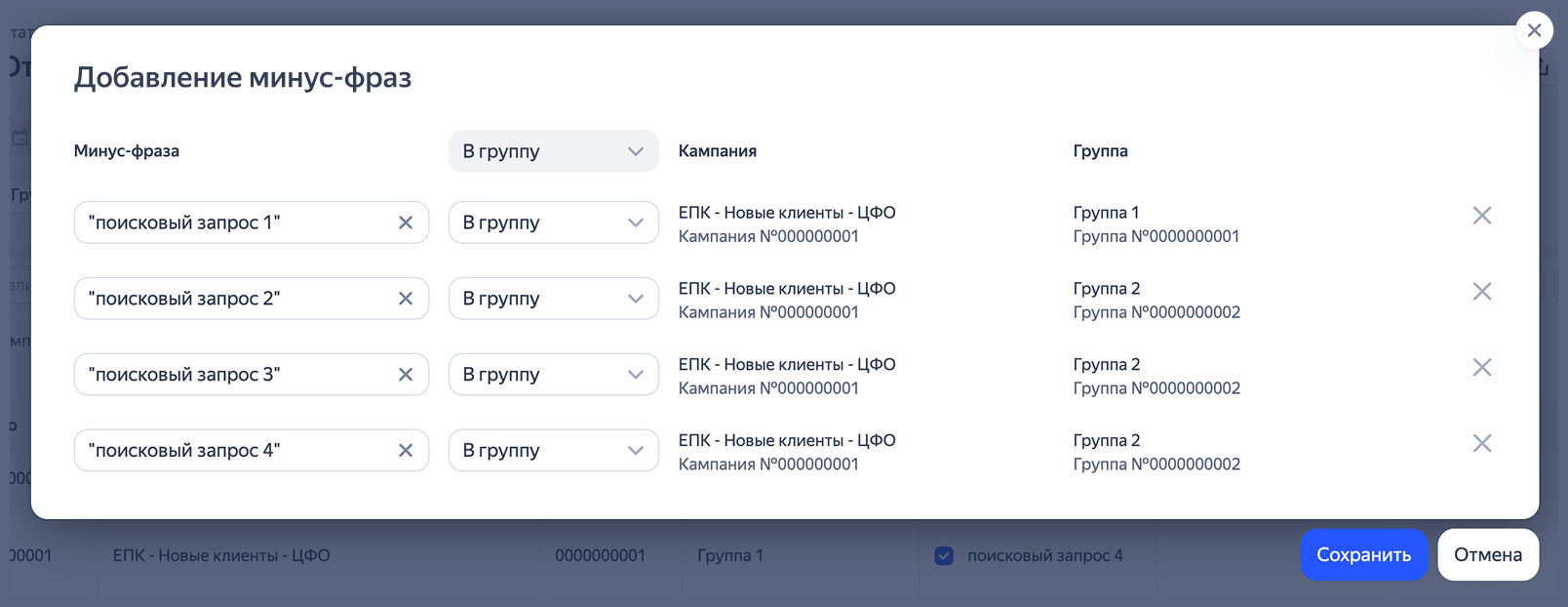
Rapora hem kampanyalar hem de gruplar bazında gruplamalar ekleyin. Böylece hangi düzeyde negatif ifadelerin ekleneceğini seçebileceksiniz.
-
Kaydet’e basın.
Arama sorgularıyla çalışmak için ayrıca Arama sorguları raporu yardımıyla da yapılabilir.
Rapordan anahtar ifadeler nasıl eklenir?
-
Raporaya Arama sorgusu gruplamasını ekleyin.
-
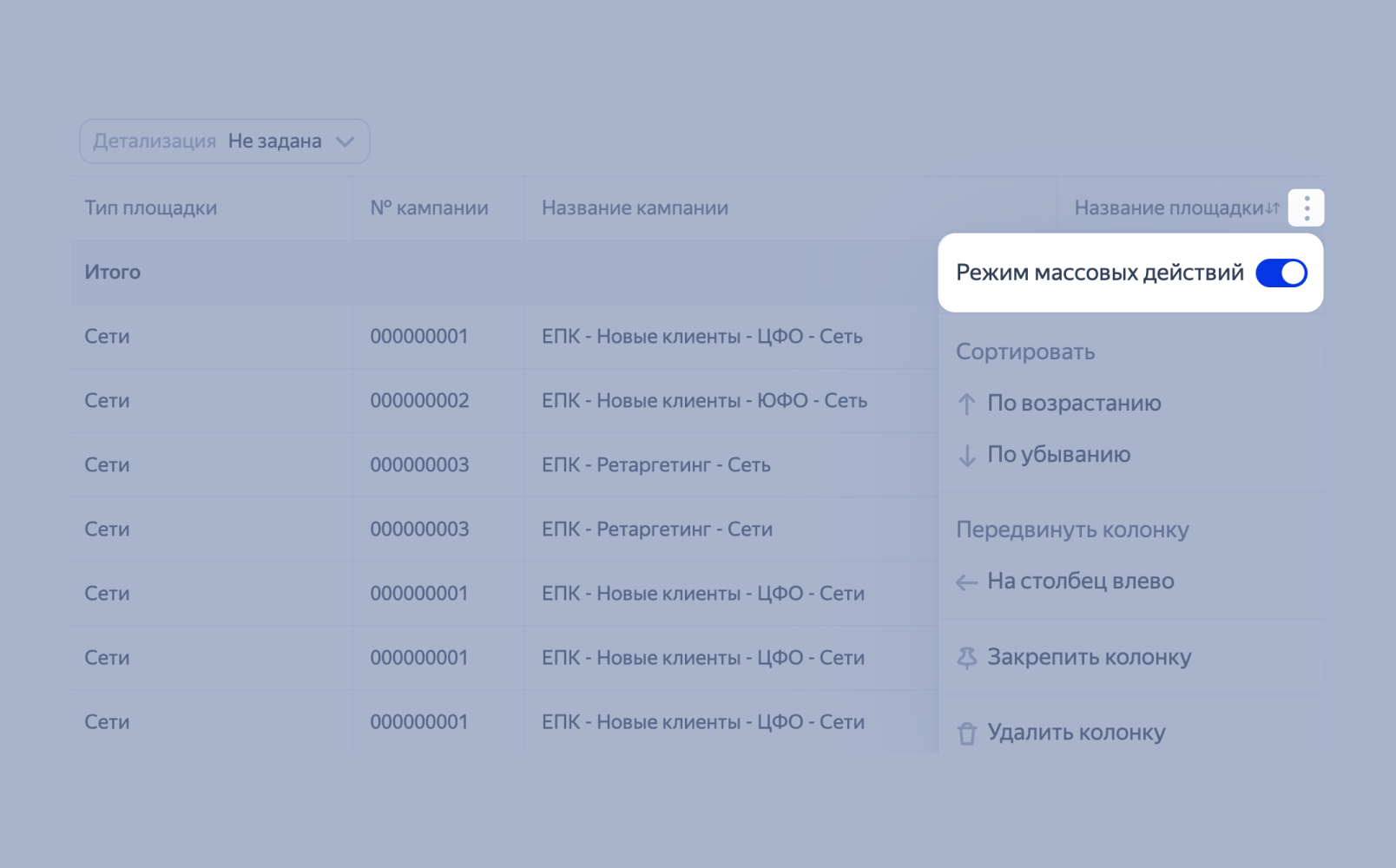
Arama sorgusu sütununun sağında simgesine tıklayın ve Toplu işlemler modu seçeneğini etkinleştirin.
-
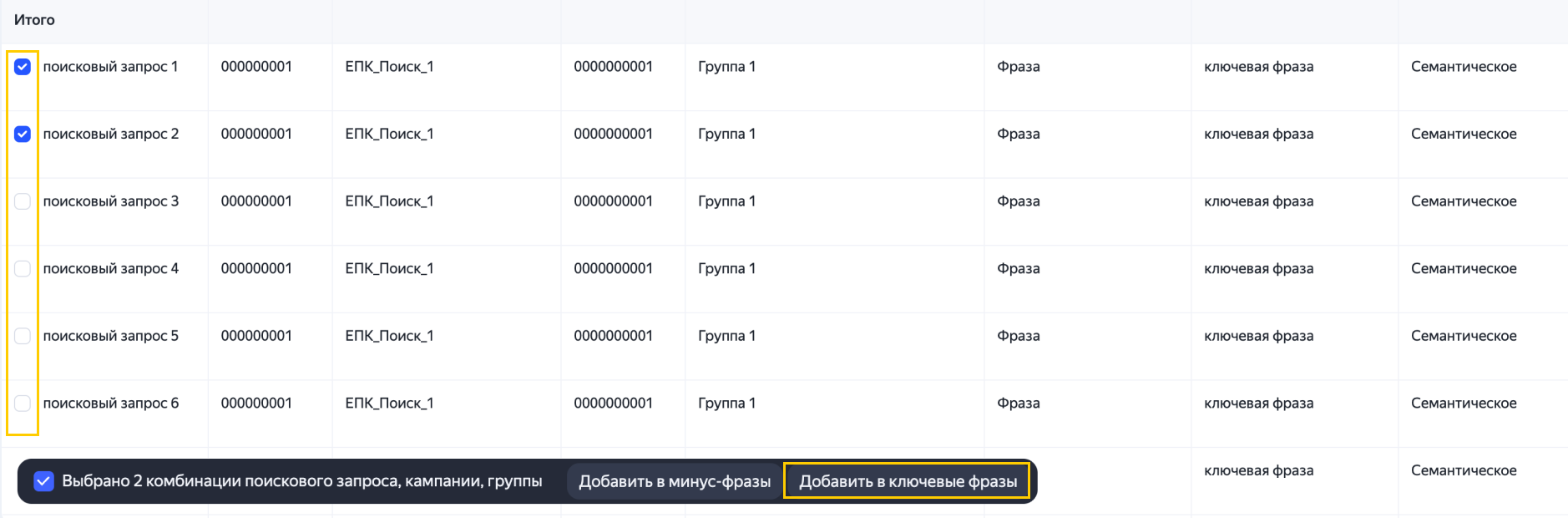
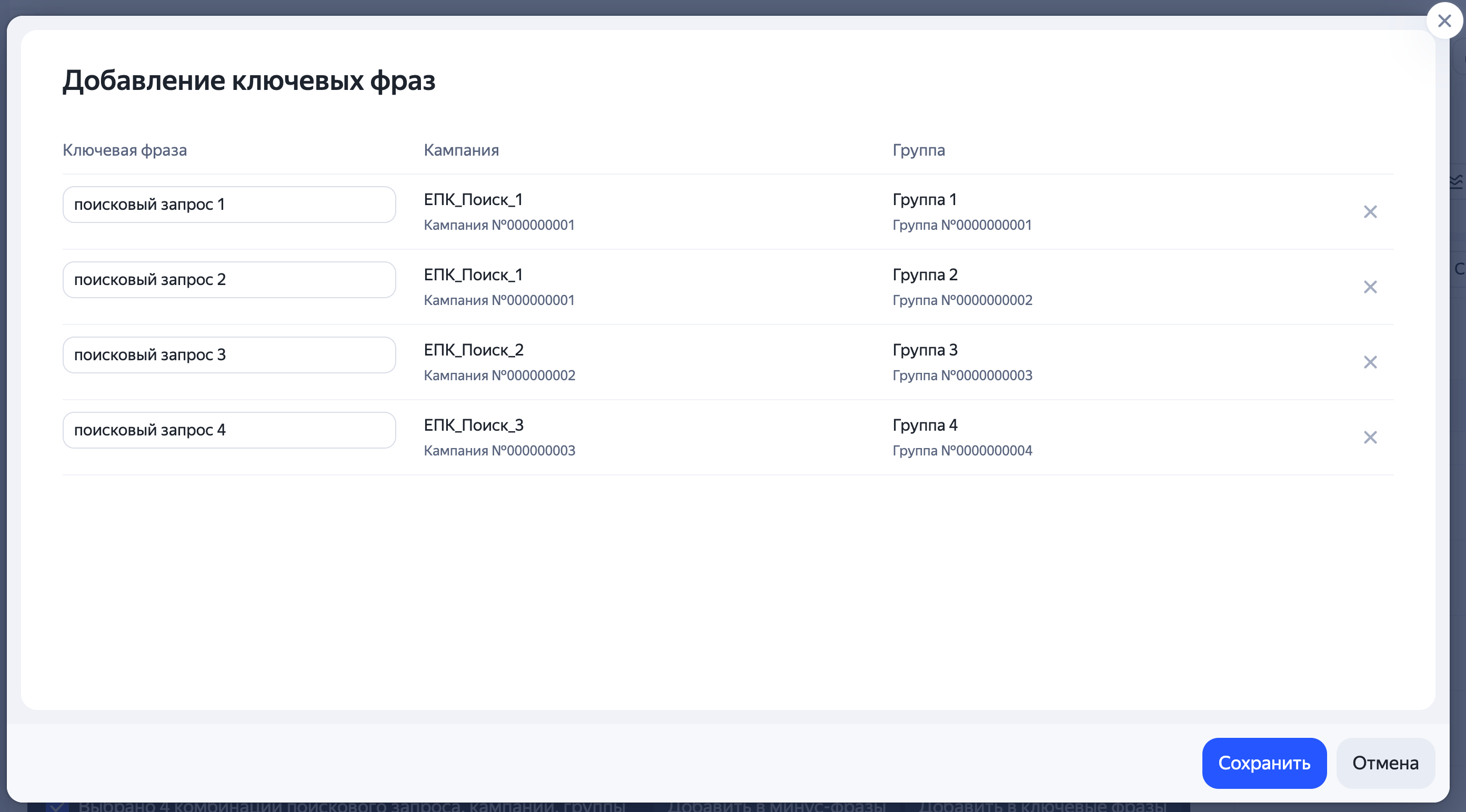
Sözcük gruplarını listeye eklemek istediğiniz sorguları işaretleyin ve Anahtar sözcükler listesine ekle düğmesine tıklayın.
-
Açılan pencerede ifadeyi düzenleyebilir, operatörler ekleyebilir veya teklifi belirleyebilirsiniz, eğer kampanya Manuel tekliflerle Maksimum Tıklama stratejisini seçmişse.
-
Kaydet’e basın. İfadeler ilgili gruplara eklenir.
Arama sorgularıyla çalışmak için ayrıca Arama sorguları raporu yardımıyla da yapılabilir.
Rapordan YAN platformlarında gösterimleri yasaklamak veya izin vermek nasıl yapılır
-
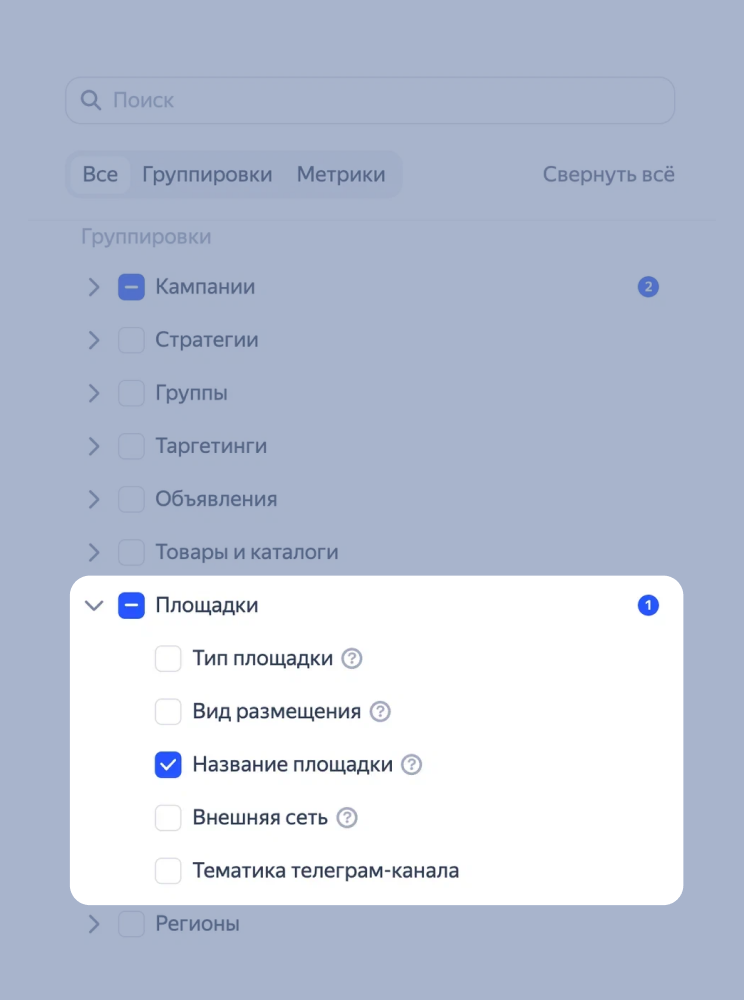
Rapora Yerleşimler → Yerleşim adı gruplandırmasını ekleyin veya Kitaplık'taki yerleşimler raporuna geçin.
-
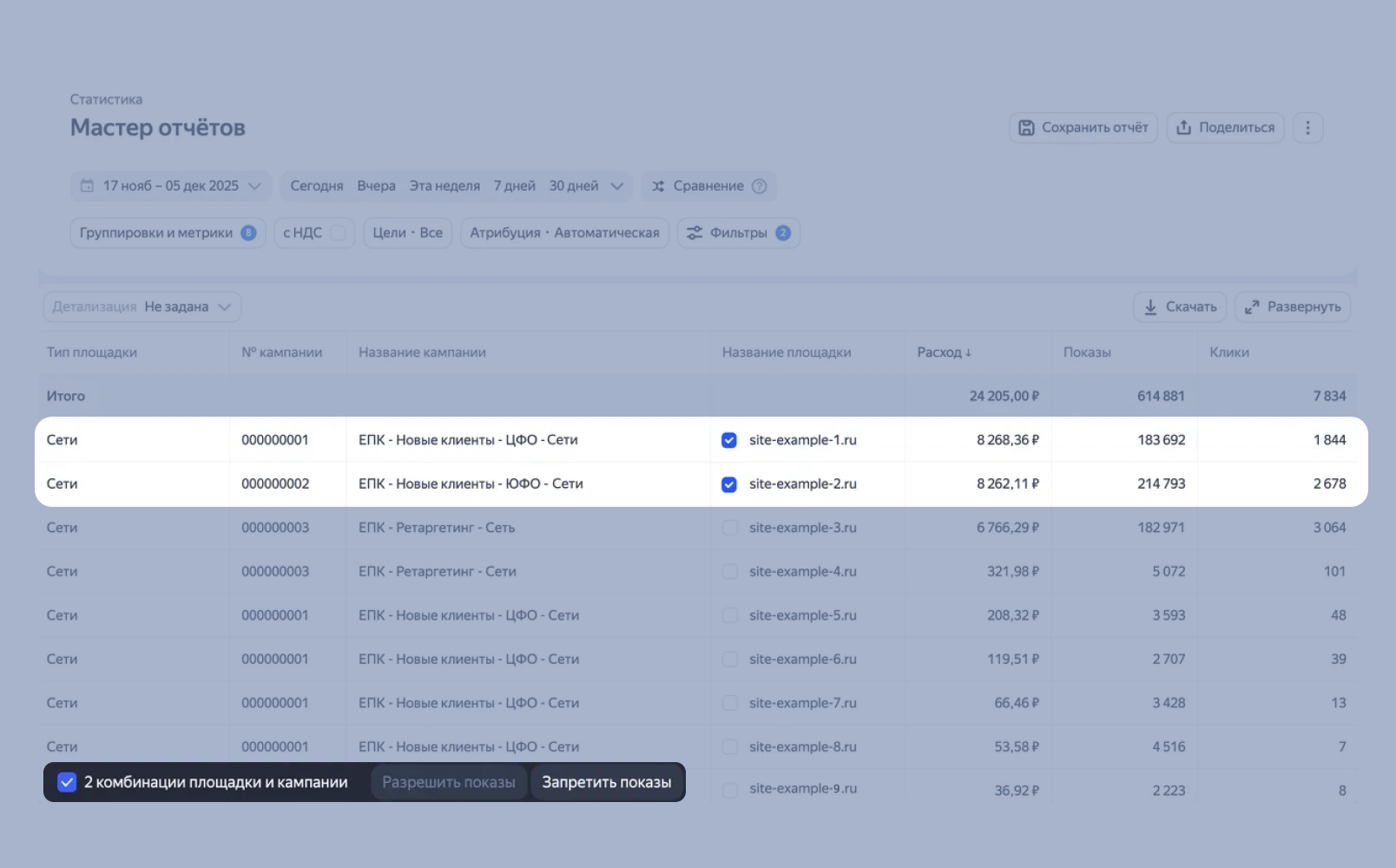
Onay kutularını kullanarak gerekli yerleşimleri seçin ve menüden Engelle veya İzin ver işlemini belirleyin. Onay kutusunun etkin olması için rapora "Kampanya no." veya "Kampanya adı" gruplandırmasını eklemeniz ve Toplu işlem modunu etkinleştirmeniz gerekir.
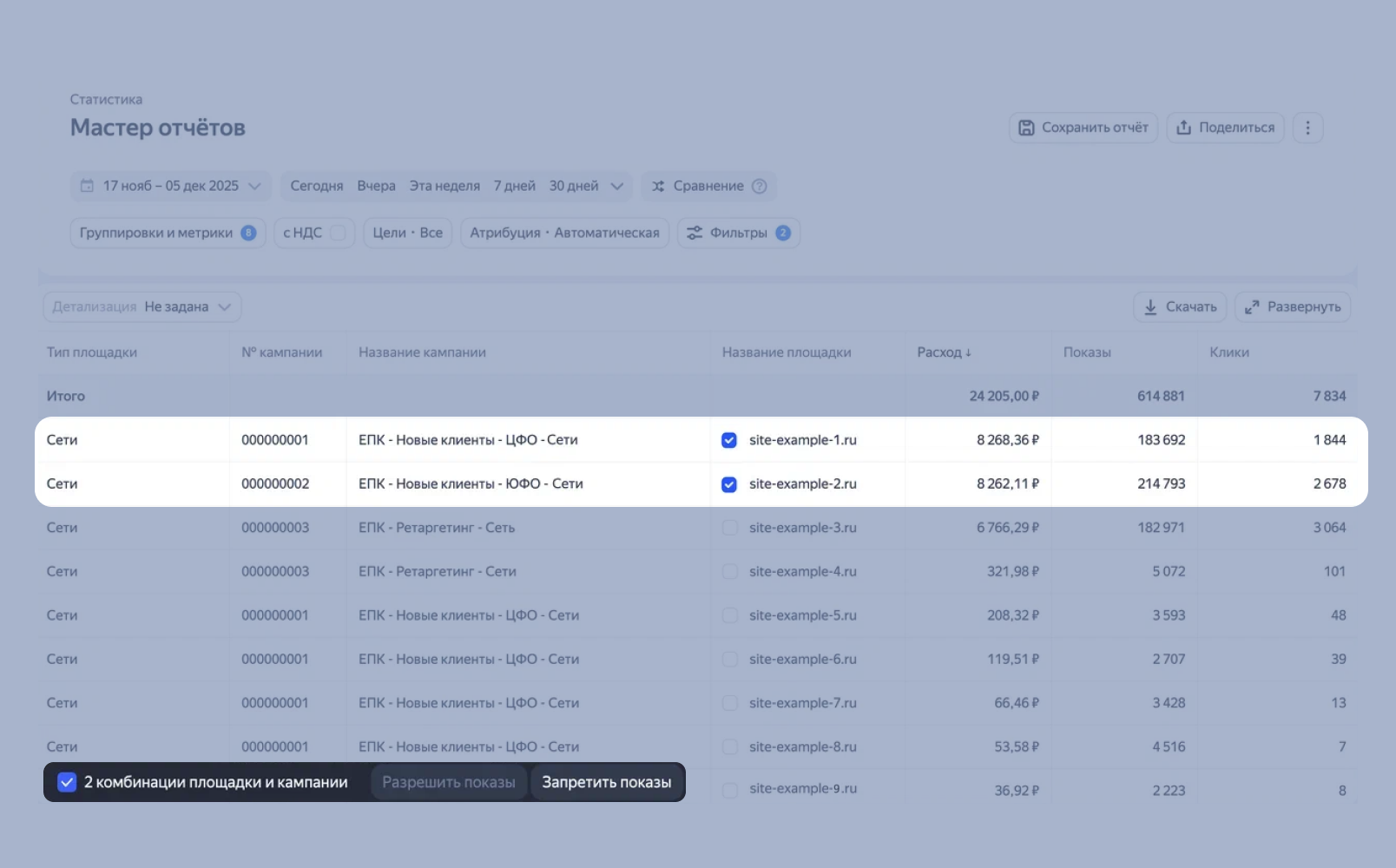
Rapor Sihirbazı'nda bir rapor kapsamında aynı anda birden fazla kampanyanın gösterimlerini yönetebilirsiniz.
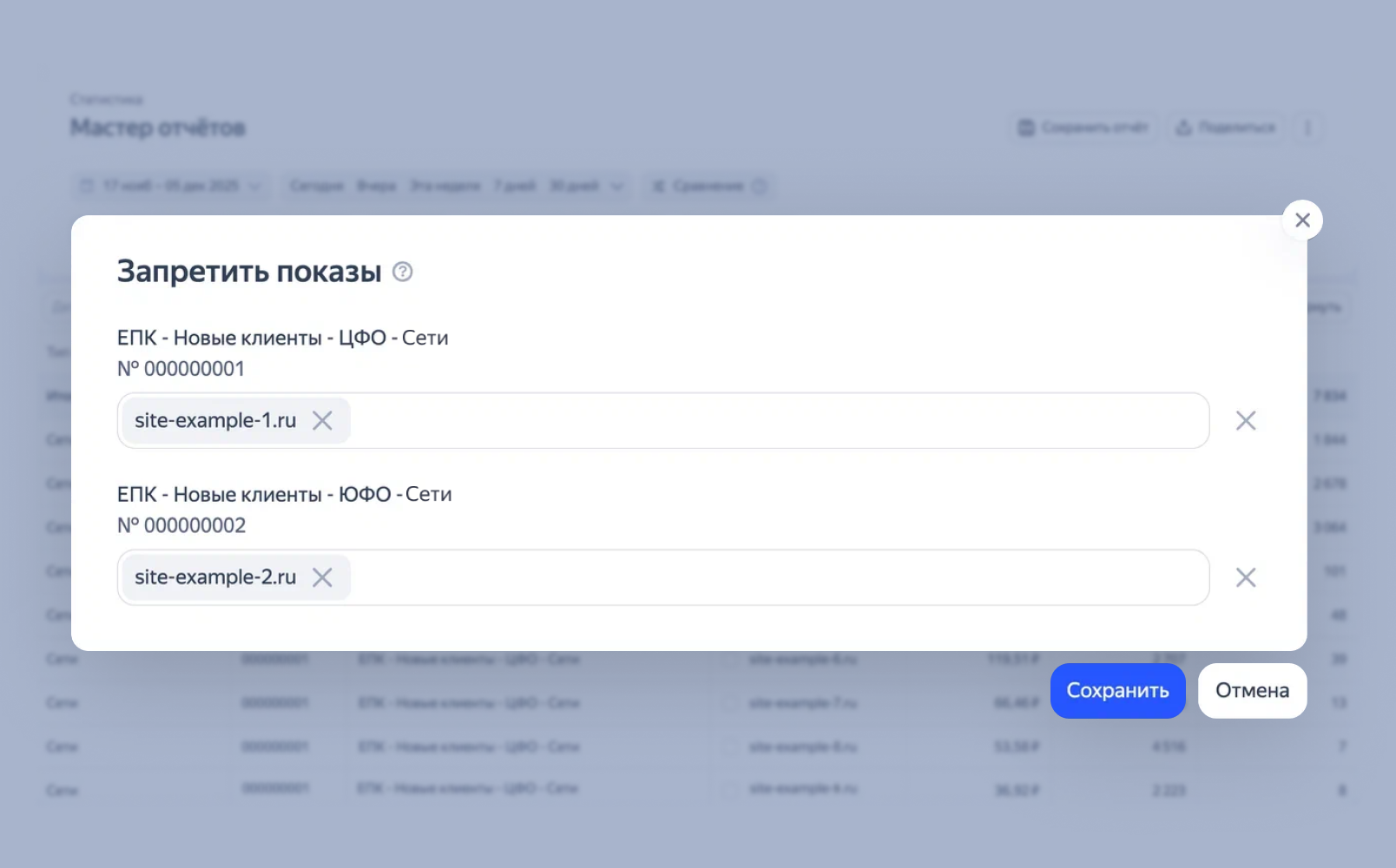
Öneri
Bir alanda gösterimleri yasaklama kararı verirken istatistiksel olarak anlamlı verilere dayanın. Önce kapatılmış platformlarda gösterimleri yeniden etkinleştirmeyi öneriyoruz — bunu yaparak platformları tekrar test edebilir, ek trafik ve dönüşümler elde edebilirsiniz.
Rapor Sihirbazı'nda gösterimleri yasaklanmış platformlar gri renkle vurgulanmıştır. Böylece onları genel listede daha kolay bulabilirsiniz.
Başka sorunuz var mı?
Dikkat
Müşteri Hizmetleri uzmanı, siz hangi kullanıcı adından iletişime geçtiyseniz yalnızca o kullanıcı adından başlatılmış olan kampanyalarla ilgili danışmanlık verebilir. Kullanıcı adı, ya.ru’yu komşu tarayıcı sekmesinde açarsanız görülebilir. Uzman, verilerinize yalnızca talebi işlerken erişebilecektir.
QR kodunu tarayın veya bağlantıya gitmek için koda tıklayın.