Status
Keep your company's status up to date. If the company is temporarily closed or has resumed its operation, change its status:
-
On the Businesses page, click the link with the company name.
-
In the left-side menu, go to About the business → Data.
-
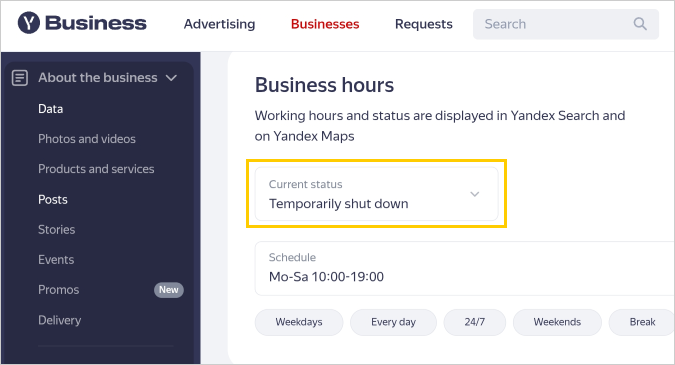
Go to the Business hours section and select the status:
- Working: The company operates according to its business hours.
- Shut down: The company is closed forever or for a long period, such as until the start of the next season.
- Temporarily shut down: The company is temporarily closed, such as for cosmetic repairs.
What it looks like
-
Click Save changes at the bottom of the page. The status of the business will change after the data is checked.
Note
To verify the status, we may call the phone number specified in the profile, check the information on the site, or check social media posts and stories on Yandex Maps.

Was the article helpful?
Previous