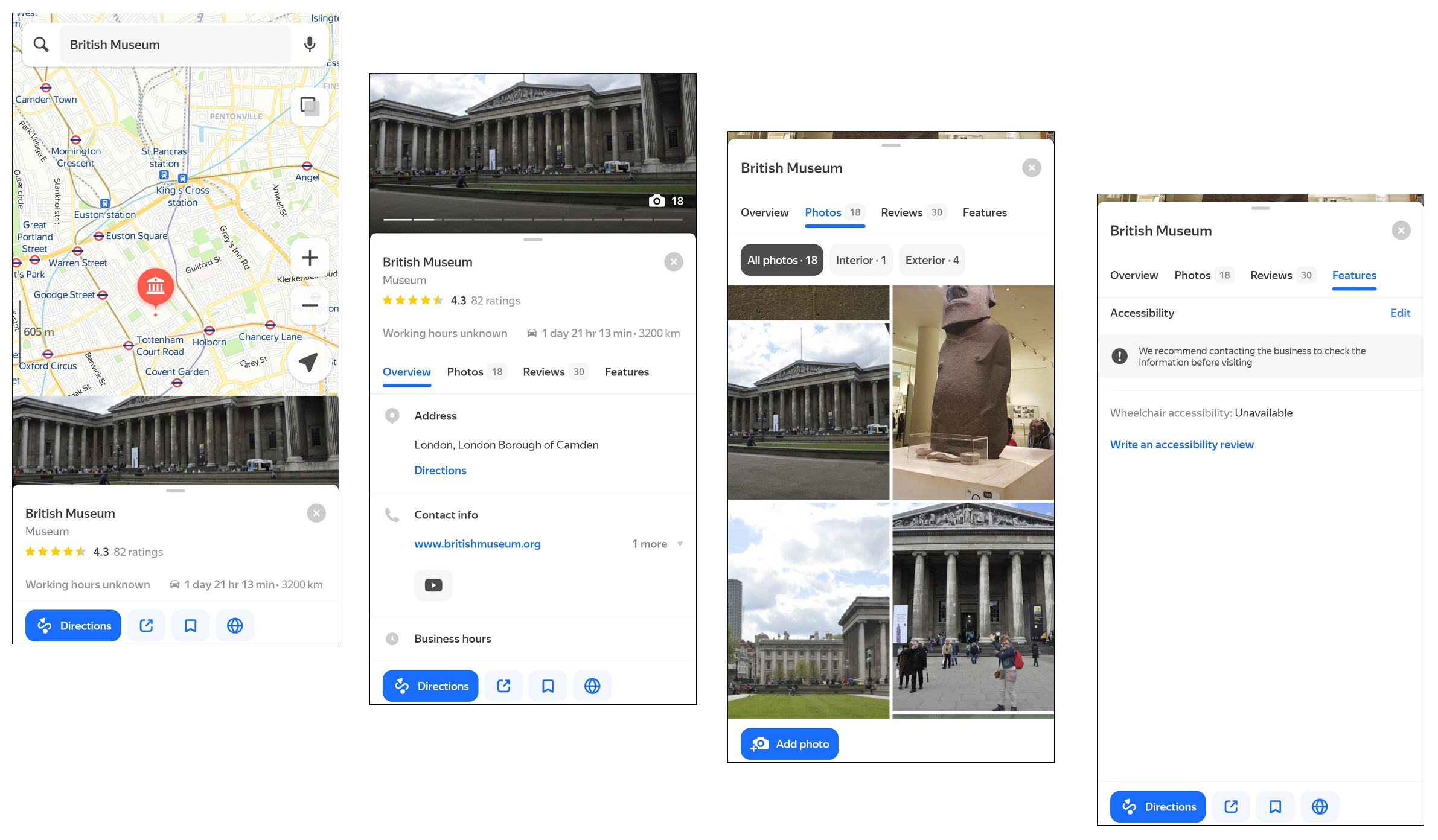
Where users can see the business
Information about your business will be displayed in several Yandex services:
- Yandex Search for desktop and mobile devices.
- The web version of Yandex Maps for desktop and mobile devices.
- The Yandex Maps and Yandex Navi mobile apps for Android and iOS.
- The Yandex Navigator mobile app for Android and iOS.
Profile
A profile is the company page in Yandex. Here's what the link to the profile may look like:
- https://yandex.com/maps/org/
: For companies on the map. - https://yandex.com/profile/
: For online companies.
To share a link to your company profile:
-
Open Businesses and select a business.
-
In your account, go to Home→ Your business in Yandex.
-
Click:
- Profile if your business operates online only.
- Yandex.Maps if you have a physical address that your customers can visit.
You will be redirected to your company profile.
-
Click and copy the link to your profile
Company profile structure
The profile page has all the information about your company. It's sorted into different tabs:
|
Tab |
Description |
|
Overview |
Basic information about the company: address, contact information, website, location on the map. |
|
Reviews |
Reviews about the company. You can sort them by date or rating. Users can also rate reviews. For more information, see Manage reviews. |
|
Photos |
All images of your company or products. For more information, see Logo, photos, and videos. |
|
News |
News about the company published by you. The latest news is displayed at the top. For more information, see Posts. |
|
Features |
Details that may be important to your customers, such as:
|
|
Branches |
The list of company branches: their names, addresses, ratings, and links to profiles. |
|
Products and services |
Prices for products and services. For more information, see Company's price list. |
|
Interesting |
Facts about the company that your customers may find interesting. |
Note
The set of tabs depends on the company's business category and information from Yandex Business.
Only business owners can add information about the company to Yandex Business in the personal account, but any user can add information about the company in Yandex Maps. For more information, see How company cards are updated.
Yandex Maps
If a user searches for a company by name or category, they'll see a list of company cards in search results and their placemarks on the map.
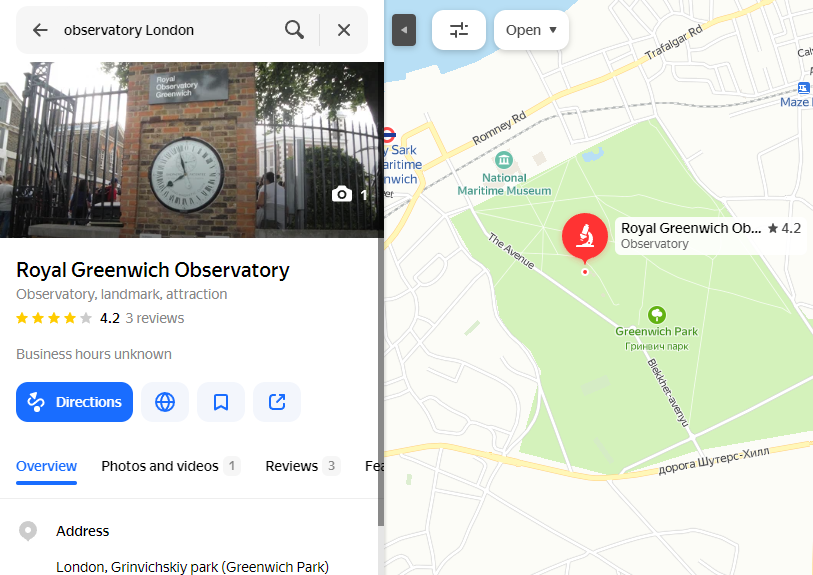
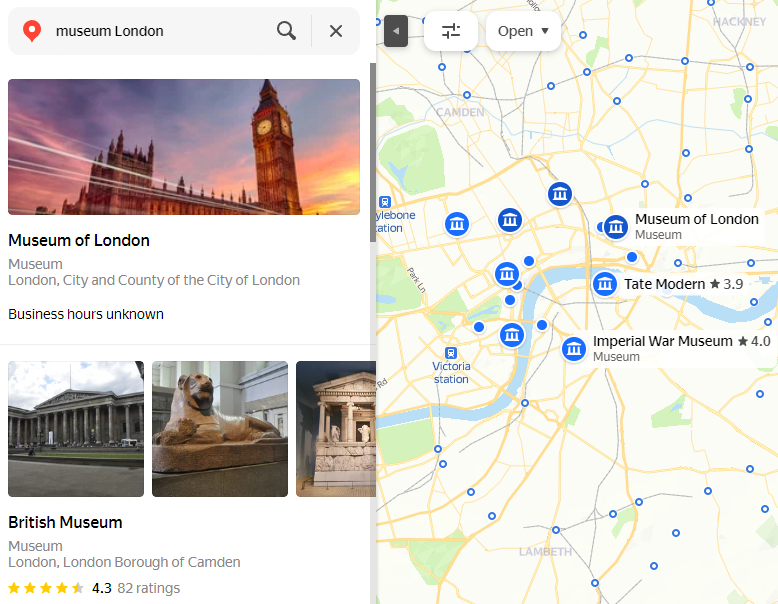
Clicking on a company card opens detailed information about the company distributed across different tabs. For more information, see Profile.
Mobile Yandex Maps and Yandex Navigator
The company card in Yandex Navigator and the mobile version of Yandex Maps is similar to the company profile. It consists of tabs with company information from Yandex Business.
Companies on Yandex Maps are marked with placemarks with different designs, like in Yandex Maps for browsers, including photoPOI  . Placemarks of some companies also include text. For more information, see Services and requisites.