Neuroprotect: protected mode
Protected mode is a mode that Yandex Browser enables on bank and payment system pages to make electronic payments more secure. In protected mode, Yandex Browser activates strict verification of certificates. If the certificate is verified, Yandex Browser disables extensions, and its interface is modified. Protected mode is part of Neuroprotect, which is an integrated security system.
Check certificates
In protected mode, Yandex Browser enables strict verification of HTTPS certificates. Protected mode is not enabled if:
- There are problems with a certificate, for example, a bank certificate is expired, invalid, or not trusted.
- An unknown certificate installed to your operating system by a program or the network administrator is used.
- A certificate installed by a special program is used.
Alert
If protected mode has not been enabled, it is unsafe to make electronic payments and we do not recommend doing this.
Disabling extensions
In the protected mode, Yandex Browser disables all extensions except password managers verified by Yandex. This is to prevent malicious extensions from stealing or tampering with your payment information.
The extensions are re-enabled when you exit protected mode.
Enabling the mode
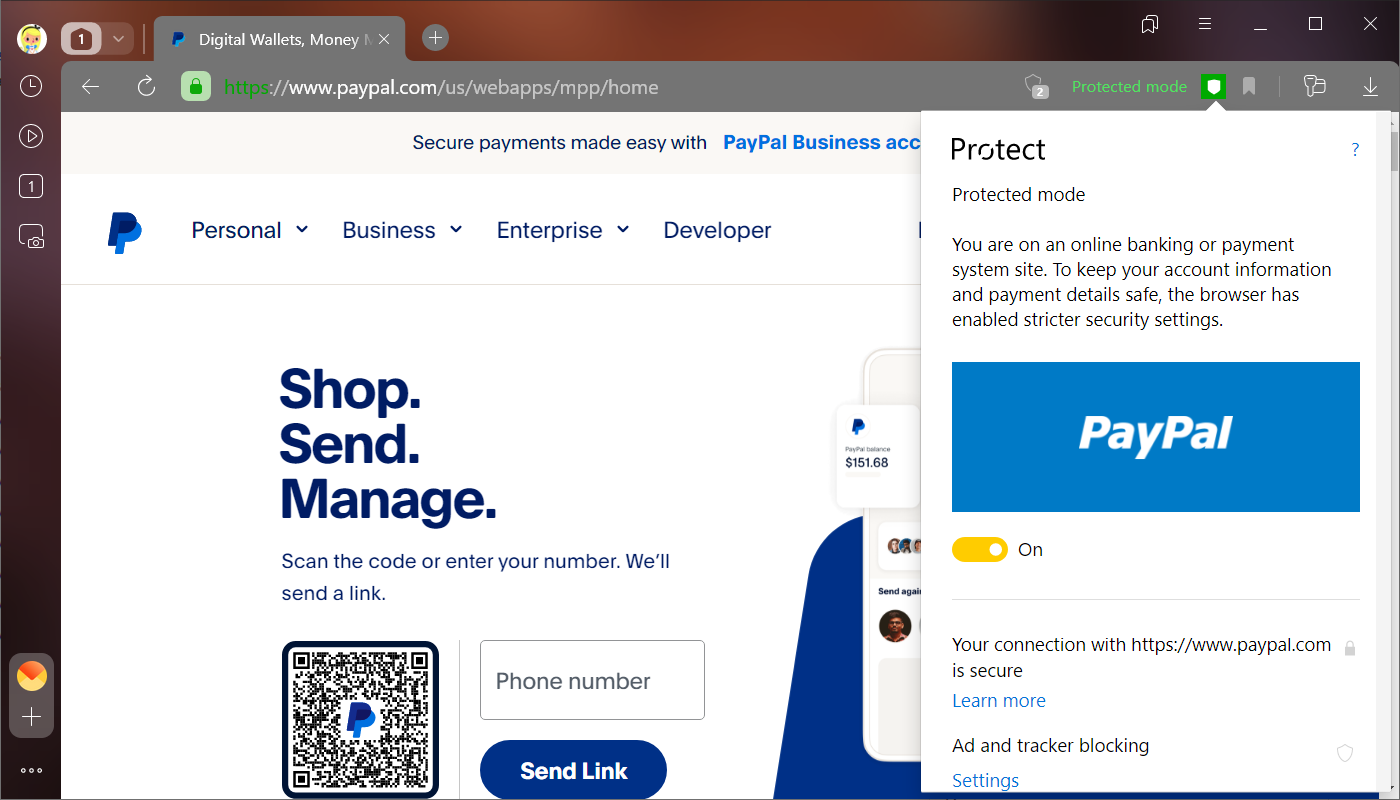
Protected mode is enabled by default when payment pages are open. When this happens, the upper panel and tabs of Yandex Browser turn dark gray, and the name of the mode and the icon appear in the SmartBox.
If you have opened an online payment page and don’t see changes in the interface, enable protected mode manually.
Disabling the mode
Alert
Disabling protected mode jeopardizes your data. We do not recommend disabling protection.
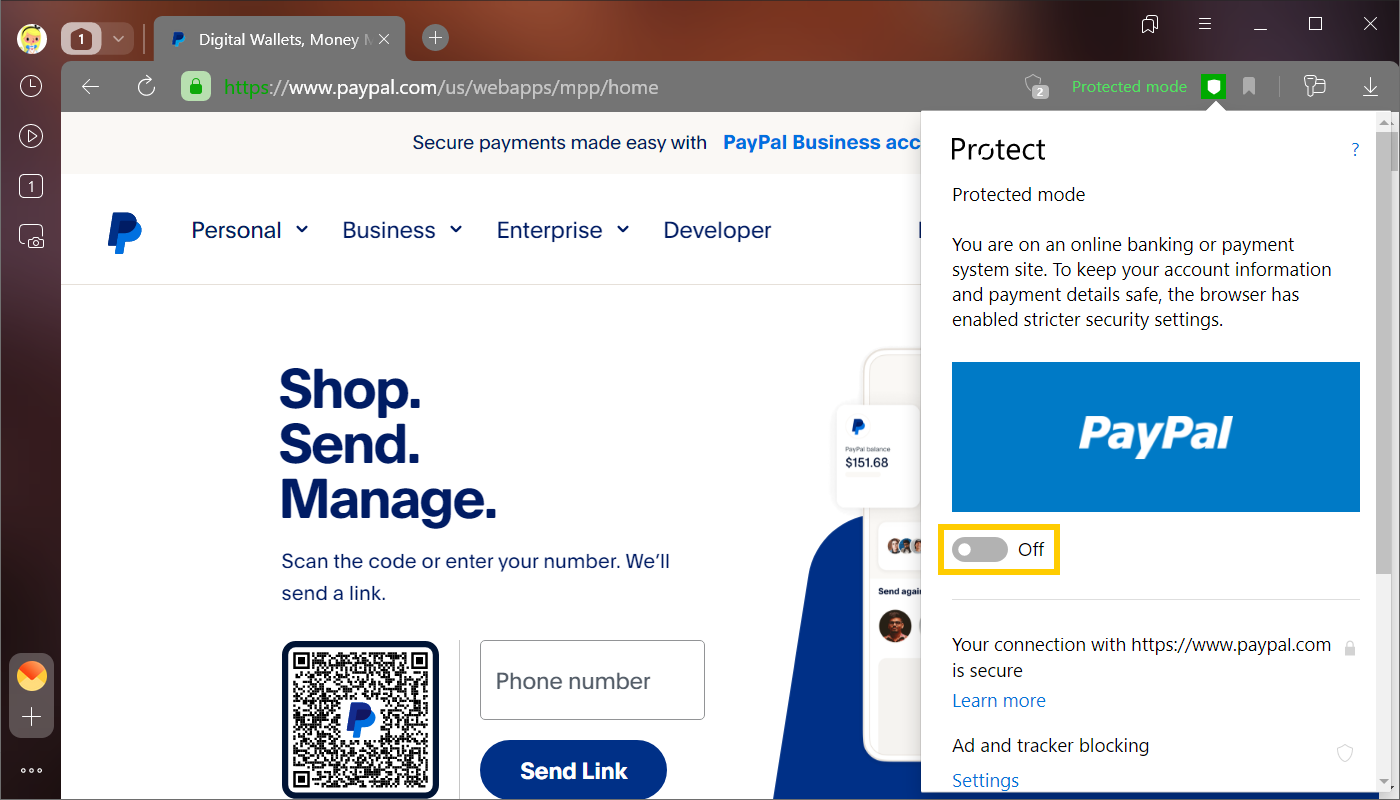
If you have enabled protected mode on a page by mistake, disable it:
- In the SmartBox, tap .
- Disable the Protected mode option.
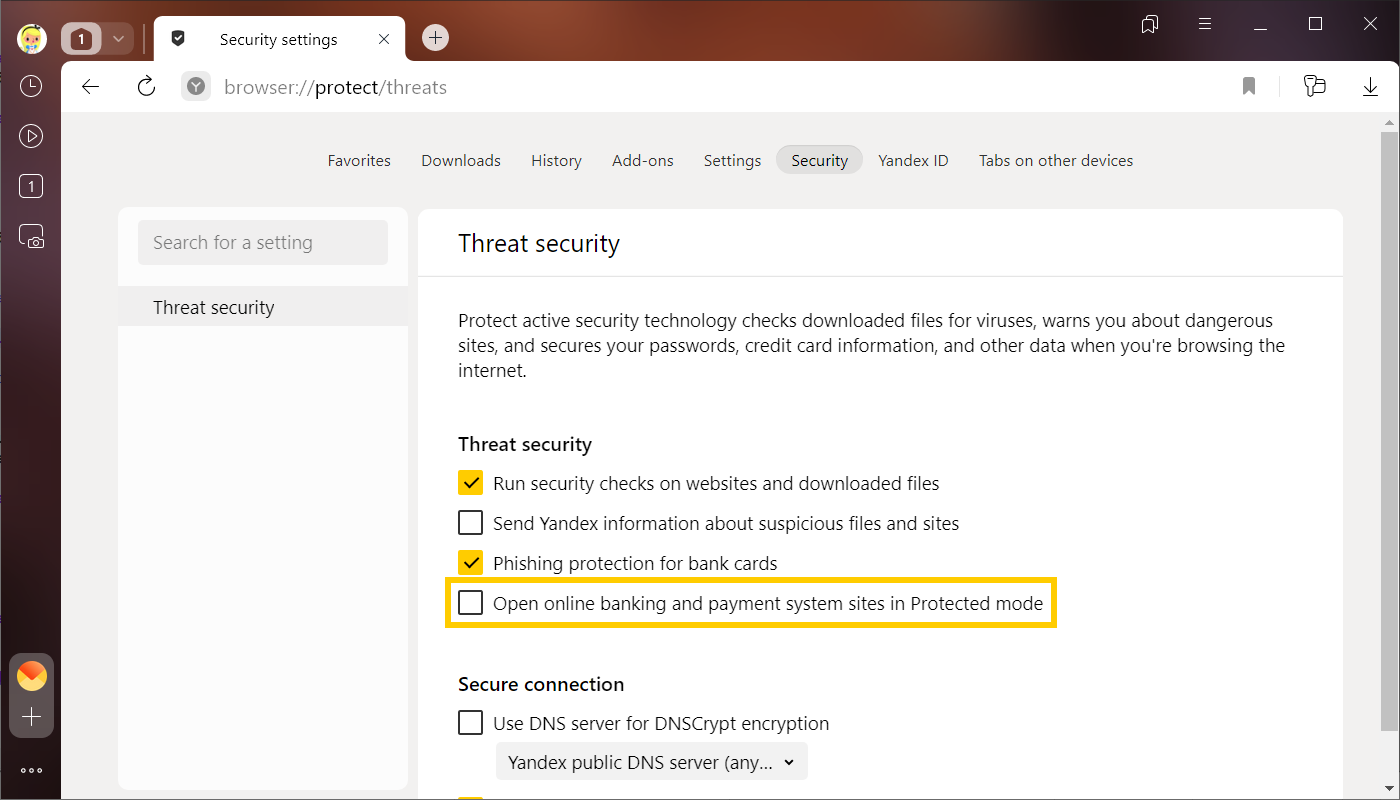
To fully disable protected mode:
-
In the upper-right corner, click → Settings.
-
Go to the Security tab at the top of the page.
-
In the Threat security section, deselect the Open online banking and payment system sites in Protected mode option.
You can enter search queries in the address bar and Yandex Browser will understand what you need.