|
macOS users You're reading Help for the beta version of Yandex Browser, which isn't available for macOS. For information on Yandex Browser for macOS, see Help for the main browser version. |
Yandex Browser background
You can use the following media as a background:
-
Photos from the Background gallery on your computer or from another site.
-
Videos or dynamic photo collections from the Background gallery.
-
Open a new tab.
-
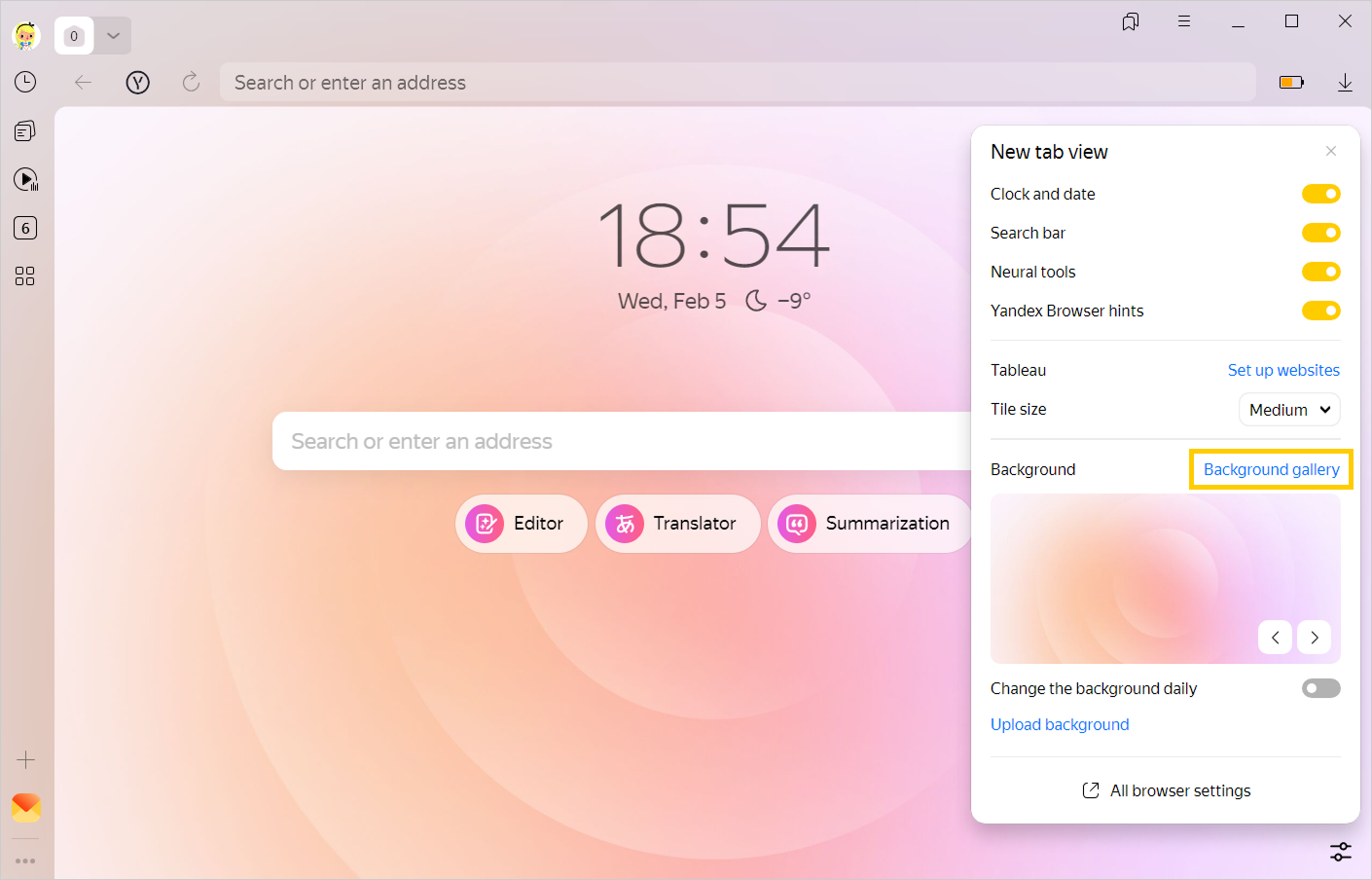
In the lower-right corner of the page, click → Background gallery.
-
Select a photo or video from an album.
-
Click Use this background.
Note
You can configure the browser to randomly alternate images or videos from your Background gallery every 24 hours.
-
For one album. Select the album in the Background gallery and click Alternate these backgrounds.
-
For all albums. In the Background gallery, click Alternate next to All backgrounds.
Note
To make links and buttons on a new tab easy to read, a blackout filter is applied to all backgrounds downloaded from the computer. You can't cancel this filter. If you want a brighter background, enhance the brightness of the original image.
-
Open a new tab.
-
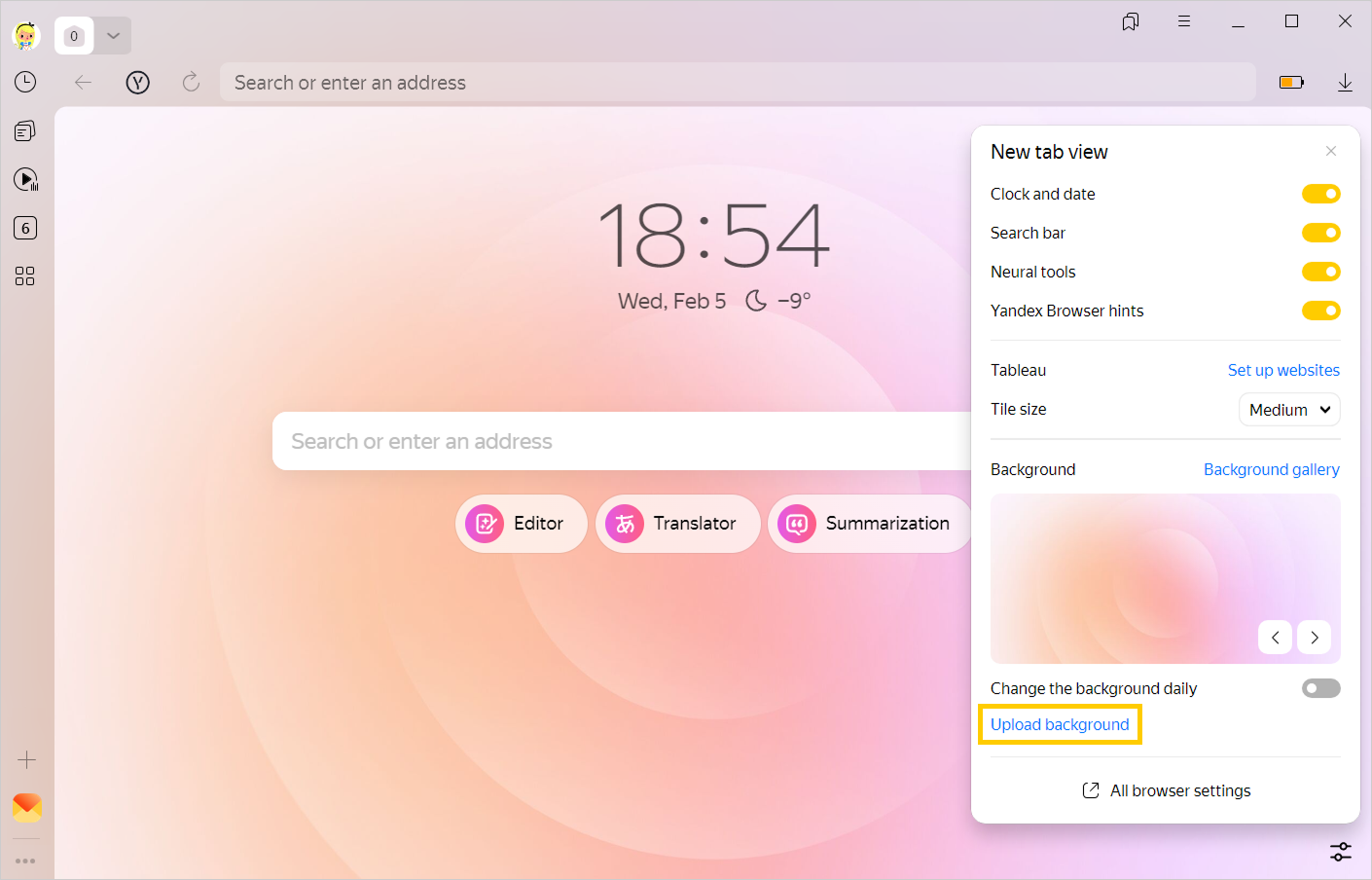
In the lower-right corner of the page, click → Upload background.
-
Select an image.
-
Click Open.
Restriction
You can upload PNG and JPG files as background images.
Start or stop animation
Animated backgrounds look great, but they can drain your battery. To avoid this, pause the animation:
-
Open a new tab.
-
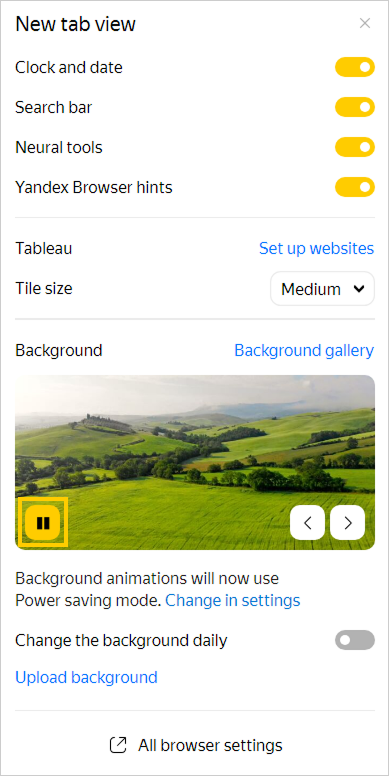
In the bottom-right corner, click .
-
On the background preview, click
 .
.
Animation when the battery is low
When your battery is low, animation turns off automatically. If you want to continue playing animation regardless of how low your battery is:
-
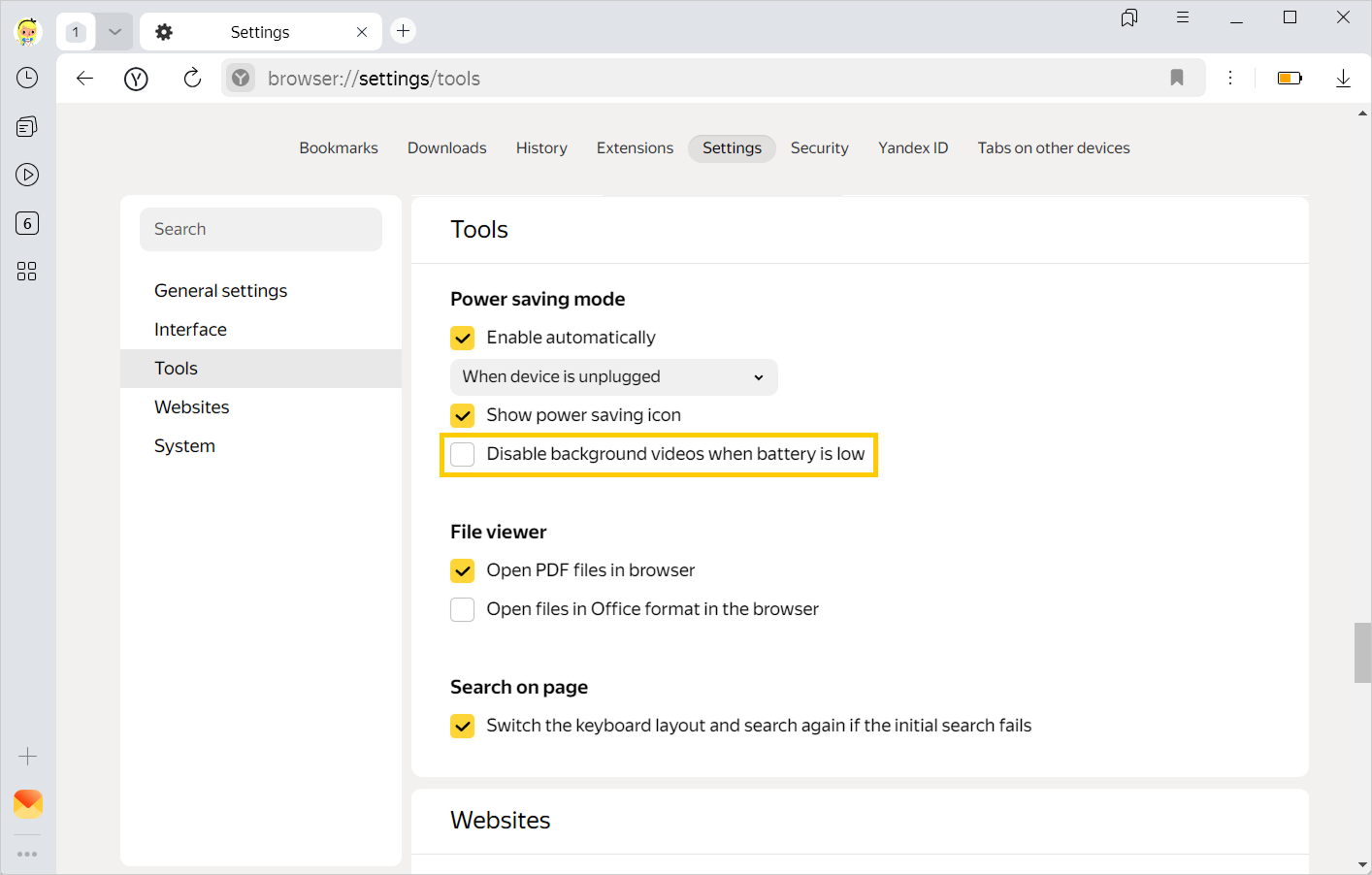
In the upper-right corner, click → Settings.
-
Open Tools.
-
Under Power saving mode, deselect Disable background videos when battery is low.
Playback in high resolution
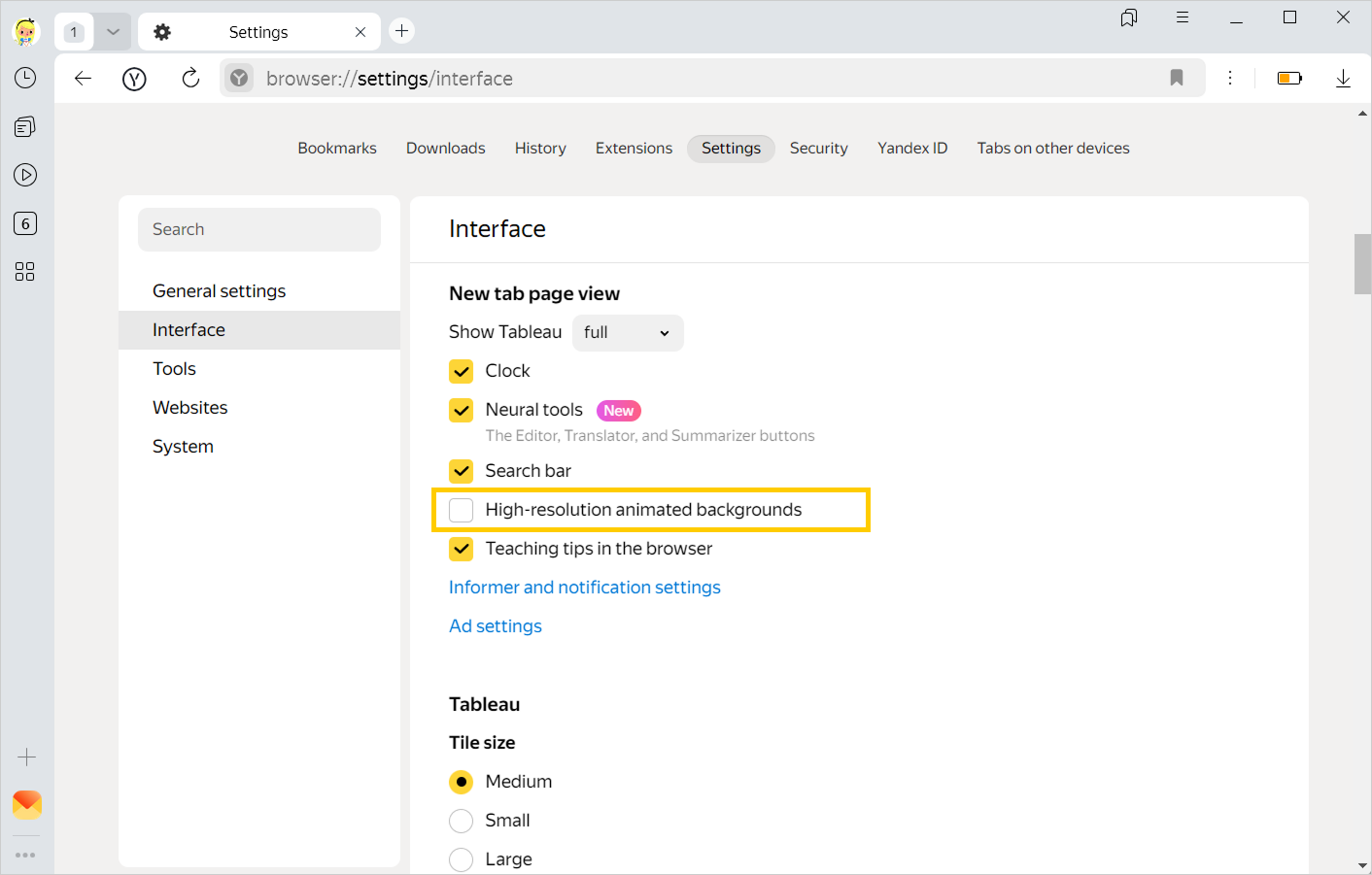
Animations playback in high resolution by default. If it causes the Yandex Browser beta version to work slower, set the standard animation quality:
-
Click → Settings → Interface.
-
In the New tab page view section, disable the High-resolution animated background option.
Troubleshooting
If you still have questions, see FAQ about Yandex Browser settings and interface.